
|
Do it yourself
| |||
| ||||



How to reset the service light on the Ford Kuga I
Model: Ford Kuga
MK 1, C394
- Years:
2008, 2009, 2010, 2011, 2012
Video tutorial
Today we will see how to reset the oil light on a first generation Ford Kuga vehicle, produced from 2008 to 2012. Turn on the car's instrument panel and press the brake and accelerator pedals simultaneously for about 15 seconds. When the "0.0" symbol appears on the instrument panel display, it means that we can release both pedals and restart the instrument panel to complete the reset operation. If the service light is still active on the display after restarting, it will be necessary to go to the workshop for a computerized diagnosis and reset the light using a computer.
Posted on 15 July 2025 by ScegliAuto
Related tutorials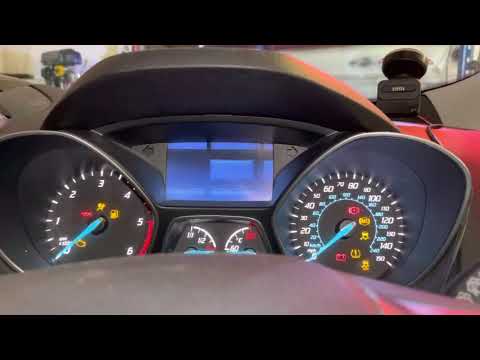
Ford Kuga
(2012-2019 /
MK 2, C520)
To reset the oil light on the Ford Kuga, insert the key into the ignition switch so you can then press the button to turn on the instrument cluster. …

Ford Kuga
(2012-2019 /
MK 2, C520)
Today we will explain how to reset the service light on a Ford Kuga vehicle. We remind you that before performing the steps related to resetting the …

Ford Kuga
(2020-2026 /
MK 3)
To reset the "Service" light on a Ford Kuga, start the instrument panel without turning on the engine. Locate the button below the instrument panel a…
Other guides you may be interested in |
How to Enter the Unlock Code for the Radio in the Nissan Micra?
In this tutorial, you will see how to enter the unlock code for the radio in the Nissan Micra, a very simple operation to perform in case of memory loss after replacing the battery. The code can be found in the documents provided at purchase or through one of the various online recovery services. First, turn on the instrument panel, then repeatedly press the "1" button until you reach the first digit of the code. Follow the same logic to enter the remaining 3 digits using the "2", "3", and "4" buttons, and confirm the entry with the up arrow button. by ScegliAuto More videos
|
|
For advertising on this site Write to info@scegliauto.com
ScegliAuto is not responsible for any inaccuracy of the data in the lists. To report any inaccuracy or your business (if you own the business in question), please write to info@scegliauto.com
Number of seconds to generate the page: 0.011
(c) ScegliAuto 2026 - info@scegliauto.com - Privacy policy VAT number: IT01247470535 |
