
|
Do it yourself
| |||
| ||||


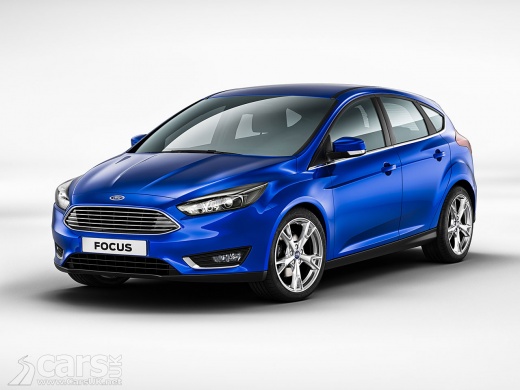
How to Remove the Glass from a Ford Focus
Model: Ford Focus
MK 3
- Years:
2011, 2012, 2013, 2014, 2015, 2016, 2017, 2018
Video tutorial
Do you want to remove the glass fitted in the front door of a Ford Focus? Here’s how to proceed. First, use a plastic lever to remove the trim from the left door; start unscrewing the screws under the handle and in the opening lever with a screwdriver, then pull them out with pliers. Detach the door panel with the lever, then disconnect the window and speaker controls. Remove the adhesive protective panel, unscrew the glass from the rail and the window lifter. Carefully slide the glass out of the door rail. Reassemble the parts in reverse order to how you disassembled them.
Updated on 9 March 2026 by ScegliAuto
Related tutorials
Ford Focus
(2004-2011 /
MK 2, Focus 2)
This brief video shows the necessary instructions to remove and replace the rear side window on a Ford Focus. First, open the rear door and start by …

Ford Focus
(2004-2011 /
MK 2, Focus 2)
Here are the instructions to remove and replace the rear side glass of the Ford Focus Cabriolet. First, access the rear of the vehicle and begin by r…

Ford Focus
(2004-2011 /
MK 2, Focus 2)
How to replace the side window on a Ford Focus? Remove the cover panel to access the side window. Take off the cover of the internal handle located o…
Other guides you may be interested in
|
How to Reset the SOS System Error on the Audi A4
This guide provides information on how to restore the functionality of the SOS emergency call system on the Audi A4. The SOS system is now available on almost all models from the manufacturer; one of the most common issues is related to the malfunction of the SOS system, for which we will outline possible solutions. The issue can sometimes be resolved by resetting the MMI multimedia system by holding down the power button; otherwise, it will be necessary to perform a diagnostic check at the nearest service center. by ScegliAuto More videos
|
|
For advertising on this site Write to info@scegliauto.com
ScegliAuto is not responsible for any inaccuracy of the data in the lists. To report any inaccuracy or your business (if you own the business in question), please write to info@scegliauto.com
Number of seconds to generate the page: 0.020
(c) ScegliAuto 2026 - info@scegliauto.com - Privacy policy VAT number: IT01247470535 |
