
|
Do it yourself
| |||
| ||||


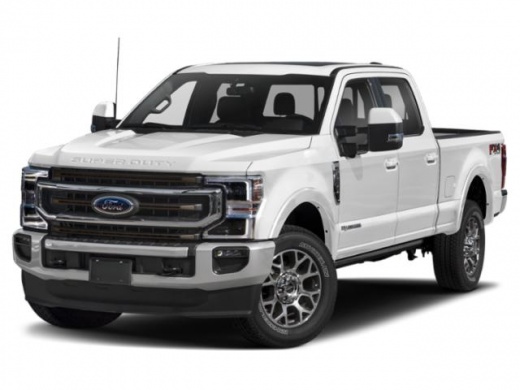
Removing the Front Door Panel of a Ford F-350
Model: Ford F-350
P558
- Years:
2017, 2018, 2019, 2020, 2021, 2022, 2023
Video tutorial
This guide shows how to remove and replace the front door panel of a Ford F-350. First, open the front door and start removing the various plastic covers on the panel; then, unscrew the fastening screws located underneath, also removing the window switch panel by disconnecting the electrical connector underneath, as shown in the video. Next, unscrew the screws on the sides of the panel to detach and remove it, disconnecting the handle cable; apply the reverse procedure for reassembly!
Updated on 18 May 2026 by ScegliAuto
Related tutorials
Ford F-350
(1999-2007 /
Phn131)
Follow these main steps to remove and replace the front speaker of the Ford F-350. First, open the front door and start by removing the door panel; t…

Ford F-350
(1999-2007 /
Phn131)
In today's video, we will see how to extract the doors from their hinges on the Ford F-350. Park the vehicle on a level surface and open the door. Re…

Ford F-350
(2017-2023 /
P558)
The fuse boxes of the Ford F-350 serve to contain the fuses that regulate the operation of the devices installed on the vehicle: in this type of vehi…
Other guides you may be interested in
|
How to Reset the Tyre Pressure Warning Light on the Opel Mokka?
To reset the tyre pressure warning light on the Opel Mokka, turn on the ignition by inserting the key into the ignition switch. Once the ignition is on, navigate through the menu that appears on the dashboard by pressing the MENU button on the lever to the left of the steering wheel. When the tyre pressure option appears, press and hold the SET/CLR button located on the same lever. This will reset the warning light, and you can then turn off the ignition. by ScegliAuto More videos
|
|
For advertising on this site Write to info@scegliauto.com
ScegliAuto is not responsible for any inaccuracy of the data in the lists. To report any inaccuracy or your business (if you own the business in question), please write to info@scegliauto.com
Number of seconds to generate the page: 0.141
(c) ScegliAuto 2026 - info@scegliauto.com - Privacy policy VAT number: IT01247470535 |
