
|
Do it yourself
| |||
| ||||


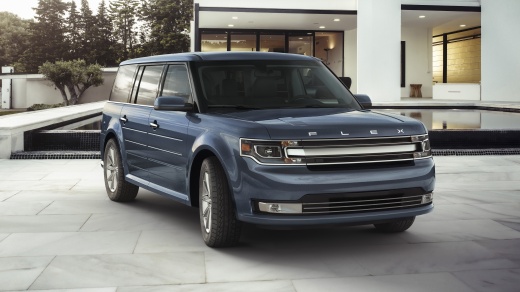
How to Quickly Repair the Wiper on the Ford Flex
Model: Ford Flex
MK 1
- Years:
2009, 2010, 2011, 2012, 2013, 2014, 2015, 2016, 2017, 2018, 2019
Video tutorial
If the wiper on your Ford Flex is not working, before assuming it might be a pump issue, do a quick inspection. First, check if there is fluid in the washer reservoir. It may seem trivial, but it is certainly a step that must be taken. On this vehicle, the washer pump pressure is a bit too high compared to the flow of the tube at the nozzle. In this specific case, the hose clamp was even missing, but it could be the same defect that your vehicle has. Before making an expensive repair, it might be worth taking a look.
Updated on 31 July 2026 by ScegliAuto
Related tutorials
Ford Flex
(2009-2019 /
MK 1)
In this tutorial, you will see how to replace the rear headlight bulbs on a Ford Flex, a very simple and quick operation. Before doing this, ensure t…
Ford Flex
(2009-2019 /
MK 1)
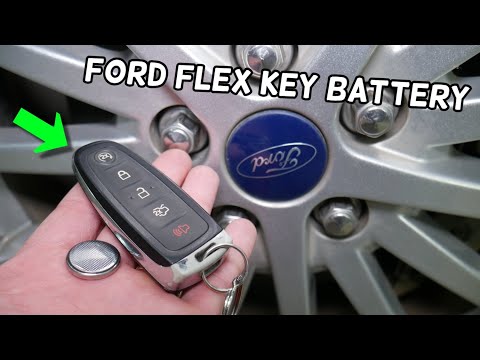
In this mini guide, you will learn how to easily and safely replace the battery in your Ford Flex key. First, locate the small button on the back of …
Ford Flex
(2009-2019 /
MK 1)
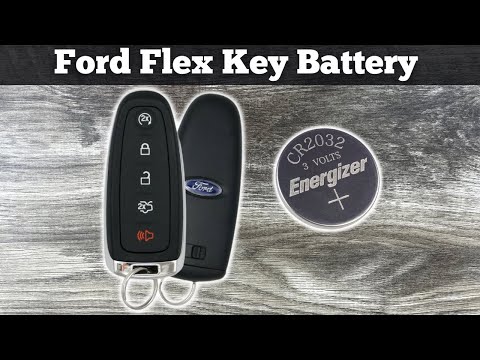
In this new mini guide about the Ford Flex, we will discover how to replace the key battery. First, locate the small button on the bottom of the cove…
Other guides you may be interested in
|
How to enter the radio code in the Opel Zafira?
In the Opel Zafira, it may happen that the radio locks and consequently requests the appropriate security code, especially after disconnecting or replacing the battery. The code can be found in the documents provided at purchase or through one of the various online recovery services. Once obtained, enter it by following the procedure shown in this tutorial. First, switch on the instrument panel, then press and hold both the "AS" button and the left knob for about 5 seconds. Next, enter the first digit by repeatedly pressing the "1" button, continue with the next 3 buttons, and save the setting by pressing the "AS" button again. by ScegliAuto More videos
|
|
For advertising on this site Write to info@scegliauto.com
ScegliAuto is not responsible for any inaccuracy of the data in the lists. To report any inaccuracy or your business (if you own the business in question), please write to info@scegliauto.com
Number of seconds to generate the page: 0.337
(c) ScegliAuto 2026 - info@scegliauto.com - Privacy policy VAT number: IT01247470535 |
