
|
Do it yourself
| |||
| ||||


Oil Change on Gasgas 280 TXT
Model: Gasgas 280 Txt
This video is currently unavailable
Start the engine for a few minutes to warm the oil and make it less viscous: this will aid in draining it. Using a 6 mm Allen key, unscrew the bolt that seals the lower drain hole. Collect the used oil in a container and dispose of it properly. Immediately free the upper fill hole as well: doing this will help the old lubricant drain out again due to air circulation. Close the lower drain hole, measure the amount of oil removed, and add the same amount through the upper fill hole.
Updated on 9 April 2026 by ScegliAuto
Related tutorials
Txt 280
To replace the rear shock absorber on the GasGas TXT Pro 280, you need to loosen all the screws that secure the plastic covers of the rear mudguard, …
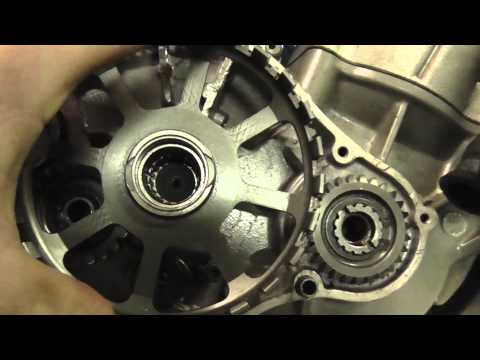
Txt 280
To replace the clutch on the GasGas TXT 280, loosen the screws securing the cover on the right side of the bike. Once these screws are loosened, you …

Txt 280
To replace the clutch on a GasGas TXT 280, lean the bike on its left side to access the bolts securing the cover on the right side of the bike. Once …
ScegliAuto offers an extensive international collection of automotive tutorials available in 12 languages. Each guide combines instructional videos with original explanations written by experienced human editors, along with information about the car models covered.
|
How do you replace the air filter on the Triumph Bonneville T100 LC?
To replace the air filter on the Triumph Bonneville T100 LC, remove the intake hose in the centre of the motorcycle, directly beneath the seat. Once the hose is disconnected, loosen the screws securing the airbox cover. Open the airbox and slide out the old air filter. Fit the new filter, reconnect the intake hose and check that everything works correctly. by ScegliAuto More videos
|
|
For advertising on this site Write to info@scegliauto.com
ScegliAuto is not responsible for any inaccuracy of the data in the lists. To report any inaccuracy or your business (if you own the business in question), please write to info@scegliauto.com
Number of seconds to generate the page: 0.005
(c) ScegliAuto 2026 - info@scegliauto.com - Privacy policy - About us VAT number: IT01247470535 |
