
|
Do it yourself
| |||
| ||||


Model: Gasgas Txt 280
To replace the clutch on a GasGas TXT 280, lean the bike on its left side to access the bolts securing the cover on the right side of the bike. Once the cover is removed, you can access the underlying components to unscrew all the bolts securing the clutch within its housing. After removing the old clutch, insert the new discs, securing them with the appropriate screws, and reinstall the cover.
Updated on 11 May 2026 by ScegliAuto
Video tutorial
Related tutorials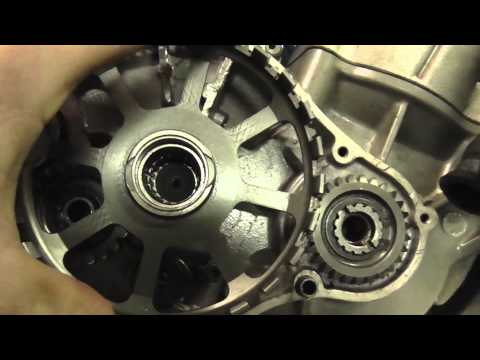
Txt 280
To replace the clutch on the GasGas TXT 280, loosen the screws securing the cover on the right side of the bike. Once these screws are loosened, you …

Txt 280
In order to replace the rear shock absorber of the GasGas TXT Pro 280, you need to loosen all the screws that secure the plastic coverings of the rea…
|
How to Replace the Battery in a Yamaha FZ6?
Replacing the battery in the Yamaha FZ6, as shown in this tutorial, is a very simple and quick operation. First, ensure that the key is not inserted, then remove the rider's seat and, using a 10mm socket spanner, loosen the bolt on the tank hinge. Next, unscrew both the front bolts and the fairing mounting bolts, lift the entire tank, and disconnect both terminals starting with the negative. At this point, you can remove the upper plastic plate, take the battery out of its housing, and fit the replacement. by ScegliAuto More videos
|
|
For advertising on this site Write to info@scegliauto.com
ScegliAuto is not responsible for any inaccuracy of the data in the lists. To report any inaccuracy or your business (if you own the business in question), please write to info@scegliauto.com
Number of seconds to generate the page: 0.007
(c) ScegliAuto 2026 - info@scegliauto.com - Privacy policy VAT number: IT01247470535 |
