
|
Do it yourself
| |||
| ||||


Model: Gasgas Txt 280
To replace the clutch on the GasGas TXT 280, loosen the screws securing the cover on the right side of the bike. Once these screws are loosened, you can remove the cover and access the underlying components. The clutch can be released from its housing by unscrewing the screws and extracting the discs that comprise it. Once the old clutch is removed, insert the new one and secure it with the screws. Finally, cover everything with the casing, ensuring that everything functions correctly.
Updated on 8 September 2026 by ScegliAuto
Video tutorial
Related tutorials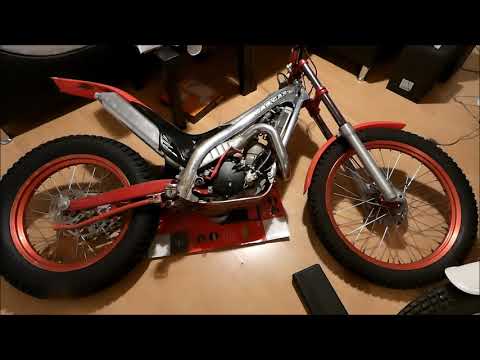
Txt 280
To replace the clutch on a GasGas TXT 280, lean the bike on its left side to access the bolts securing the cover on the right side of the bike. Once …

Txt 280
In order to replace the rear shock absorber of the GasGas TXT Pro 280, you need to loosen all the screws that secure the plastic coverings of the rea…
|
How to replace the headlight bulbs on a Suzuki GSXR 600?
In this tutorial, you will see how to replace the headlight bulbs on a Suzuki GSXR 600, an extremely simple and quick operation. First, ensure that the key is not inserted, then unscrew the two indicated screws and separate the dashboard from the support. Next, disconnect the power connectors of the bulbs, remove the rubber caps, and unclip the metal clips to extract the bulbs from their respective housings. At this point, you can insert the replacements, avoiding touching the glass directly with your bare hands, and follow the reverse procedure. by ScegliAuto More videos
|
|
For advertising on this site Write to info@scegliauto.com
ScegliAuto is not responsible for any inaccuracy of the data in the lists. To report any inaccuracy or your business (if you own the business in question), please write to info@scegliauto.com
Number of seconds to generate the page: 0.005
(c) ScegliAuto 2026 - info@scegliauto.com - Privacy policy VAT number: IT01247470535 |
