
|
Do it yourself
| |||
| ||||


|
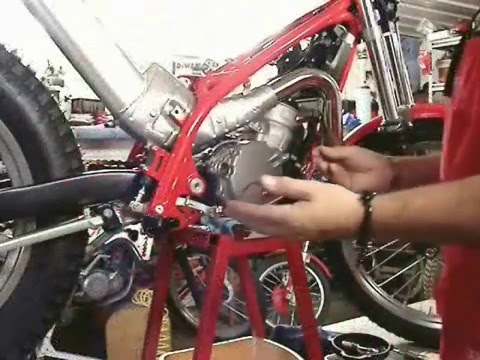
Model: Gasgas Txt Pro 250
To replace the steering bearing on a GasGas TXT Pro 250, completely disassemble the front fork so that it can be removed from the front of the frame along with the steering: you will then need to loosen all the fixing bolts and disconnect the cables for the brake, clutch, etc. This will allow you to extract the old bearing from its circular housing at the front of the frame, so that the new one can be inserted. It is necessary to grease it a little before insertion; after replacement, you can also reassemble all the other components.
Updated on 18 July 2026 by ScegliAuto
Video tutorial
Related tutorials
Txt Pro 250
In order to replace the front fork spring on the GasGas TXT Pro 250, you need to loosen the cover cap located on the top of the front fork: once this…
Txt Pro 250
To replace the clutch on the GasGas TXT Pro 250, loosen the screws securing the cover on the right side of the bike to access the clutch discs undern…

Txt Pro 250
To replace the rear shock absorber of the GasGas TXT Pro 250, you need to loosen the screws that secure it to its housing, which is located between t…
|
How to Replace the Coolant in the Piaggio Medley 125?
To replace the coolant in the Piaggio Medley 125, loosen the screws securing the side grille of the scooter to remove it and access the radiator underneath. At the base of the radiator, locate the drain plug, which must be unscrewed to allow the coolant to flow into a suitably positioned container. Next, open the under-seat compartment and locate the coolant refill cap: by opening this cap, you can insert the new coolant. by ScegliAuto More videos
|
|
For advertising on this site Write to info@scegliauto.com
ScegliAuto is not responsible for any inaccuracy of the data in the lists. To report any inaccuracy or your business (if you own the business in question), please write to info@scegliauto.com
Number of seconds to generate the page: 0.007
(c) ScegliAuto 2026 - info@scegliauto.com - Privacy policy VAT number: IT01247470535 |
