
|
Do it yourself
| |||
| ||||


How to Remove the Clutch Cover on a Gasgas EC 300
Model: Gasgas Ec 300
Video tutorial
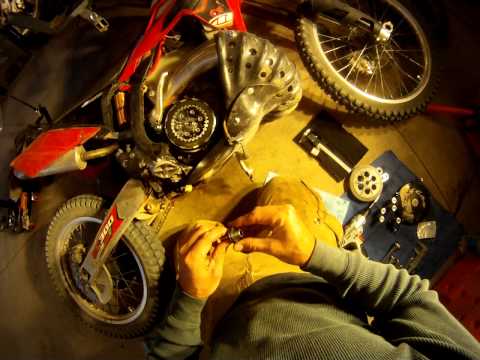
Here are the instructions for removing and replacing the clutch cover, as well as the engine oil, on the Gasgas EC 300 enduro bike. First, place your bike on a stand and start by unscrewing the oil drain bolt located under the engine, allowing it to drain into a container for about ten minutes. Next, unscrew the screws of the clutch cover to remove it and replace it with the new one, as shown in the video. Finally, pour the correct amount of oil as stated in the user and maintenance manual!
Updated on 9 August 2026 by ScegliAuto
Related tutorials
Ec 300
It will be possible to replace the clutch of the GasGas EC 300 by loosening the screws that fix the clutch cover: the cover can now be removed from i…

Ec 300
The clutch that is installed on the GasGas EC 300 can be removed and replaced by unscrewing the screws that secure the clutch cover. The cover can no…
Ec 300
Today's guide will illustrate the main steps on how to disassemble and replace the clutch discs on the Gasgas EC 300 enduro bike. First, remove the c…
|
How to Replace the Headlight Bulb on the Suzuki Address 110
To replace the headlight bulb on the Suzuki Address 110, you must completely remove the wing mirrors so that you can rotate them counterclockwise: once removed, proceed to loosen the screws securing the front fairing, located at the sides of the instrument cluster. Once the front fairing is removed, disconnect the internal connector of the headlight, allowing the bulb inside to be extracted and replaced with a new one; after replacement, reassemble all the removed parts. by ScegliAuto More videos
|
|
For advertising on this site Write to info@scegliauto.com
ScegliAuto is not responsible for any inaccuracy of the data in the lists. To report any inaccuracy or your business (if you own the business in question), please write to info@scegliauto.com
Number of seconds to generate the page: 0.007
(c) ScegliAuto 2026 - info@scegliauto.com - Privacy policy VAT number: IT01247470535 |
