
|
Do it yourself
| |||
| ||||


How to Replace the Side Panels on the GasGas EC 350F?
Model: Gasgas Ec 350f
Video tutorial
To replace the side panels on the GasGas EC 350F, you need to loosen the screws that secure them to their housing, located at the front sides of the bike. These panels can be released from their position once the seat has also been removed, allowing access to all the screws that hold these panels. Once the old panels have been completely removed, you can position the new replacement parts: these panels must be secured with the appropriate screws, and then reinstall the seat.
Updated on 18 September 2026 by ScegliAuto
Related tutorials
Ec 350f
To replace the caps on the GasGas EC 350F levers, loosen the two screws located at the top of the caps, exactly at their sides. Once the screws are l…

Ec 350f
To replace the tyres on the GasGas EC 350F, completely remove the front and rear wheels of the bike: to do this, loosen the nuts located on the sides…

Ec 350f
To replace the exhaust on a GasGas EC 350F, you need to loosen the screws that secure the panel located on the right side of the bike, next to the re…
|
How to Reset the Service Light on a Yamaha YZF R25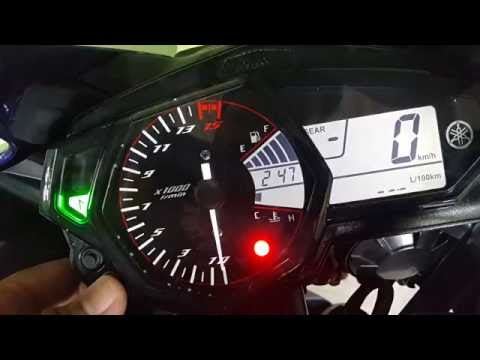
In this tutorial, you will see how to reset the service light on a Yamaha YZF R25, a very simple and quick operation to perform only after completing all required scheduled maintenance tasks. First, insert the key, then turn on the instrument cluster and, using the lower left button on the dashboard, navigate to the "Trip" mileage count. Once done, press the upper button once to initialise the reset, and a second time to complete it. To verify that the operation was successful, you can restart the instrument cluster. by ScegliAuto More videos
|
|
For advertising on this site Write to info@scegliauto.com
ScegliAuto is not responsible for any inaccuracy of the data in the lists. To report any inaccuracy or your business (if you own the business in question), please write to info@scegliauto.com
Number of seconds to generate the page: 0.005
(c) ScegliAuto 2026 - info@scegliauto.com - Privacy policy VAT number: IT01247470535 |
