
|
Do it yourself
| |||
| ||||


How to set the time and date on a Geely Coolray vehicle
To set the time and date on a Geely Coolray vehicle, we need to turn on the instrument panel and the onboard computer. Immediately after, we press the general Menu button on the steering wheel to access the car settings. From the settings Menu, we select the "Clock" option and access the Menu for setting the time and date. We select the "date" option to set today's date and confirm. We select the "time" option to set the minutes and hours. We finish by returning to the main Menu and then turn off and restart the vehicle to further confirm all the steps.
Posted on 16 October 2024 by ScegliAuto
Video tutorial
Related tutorials
Geely Lc
(2008-2016 /
MK 1)
In this video tutorial we will see the main instructions that will allow us to disassemble and replace the stock car stereo with an Android type of t…
Geely Lc
(2008-2016 /
MK 1)
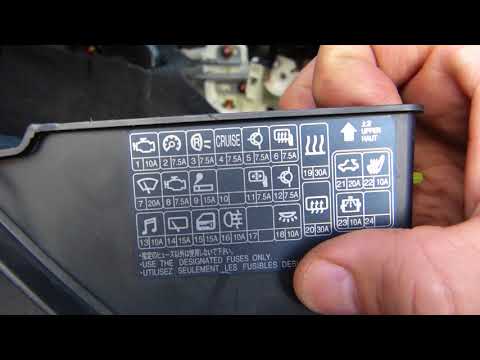
Also in this car as well as in almost all cars there are two fuse boxes, the first is located in the engine compartment immediately next to the air f…

Geely Lc
(2008-2016 /
MK 1)
In this video, we show you how to remove the wiper blades from the Geely Lc Panda. To start, remove the two plastic caps that protect the metal nuts …
Other guides you may be interested in
|
How to Remove the Front Headlamp on a Renault Megane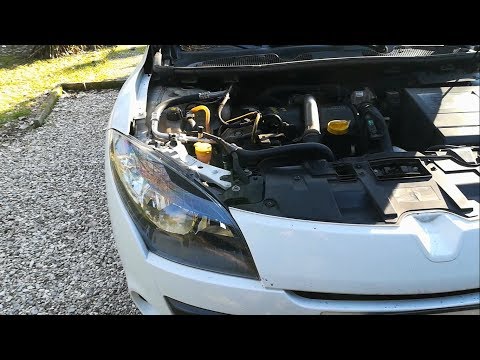
Let's see how to remove the front headlamp on a Renault Megane. Open the bonnet by pulling the lever located at the bottom right of the dashboard and secure it. Unscrew the headlamp securing bolts with a screwdriver, along with the associated clips, and extract the headlamp from its housing. Once the headlamp is removed (located at the rear of the headlamp), take it out, and you will find the bulbs with metal clips. Pull out the bulb holder from the headlamp and extract the damaged bulb using a screwdriver. Install the new bulb (always ensure it is the correct type and size) and insert the bulb holder back into the headlamp housing. by ScegliAuto More videos
|
|
For advertising on this site Write to info@scegliauto.com
ScegliAuto is not responsible for any inaccuracy of the data in the lists. To report any inaccuracy or your business (if you own the business in question), please write to info@scegliauto.com
Number of seconds to generate the page: 0.108
(c) ScegliAuto 2026 - info@scegliauto.com - Privacy policy VAT number: IT01247470535 |
