
|
Do it yourself
| |||
| ||||


How to replace the remote control battery of the GMC Savana?
Model: GMC Savana
MK 2
- Years 2003-2024
In this tutorial we can see how to change the battery of the GMC Savana remote control, an extremely simple and fast operation. To do this, we will need a spare CR2032 type battery and a small flat-blade screwdriver. First of all, let's identify the slot on the lower ring, then insert the tip of the screwdriver inside it and, levering it, release the two halves of the remote control. Once completely open, we extract the internal circuit and proceed with the replacement of the battery, taking care to position the spare part in the right direction.
Posted on 20 January 2023 by ScegliAuto
Video tutorial
Related tutorials
GMC Savana
(1996-2002 /
MK 1)
Replacing the GMC Savana remote control battery, as we can see in this tutorial, is an extremely simple and fast operation. To do this, we will need …

GMC Savana
(2003-2024 /
MK 2)
In this tutorial, we can see how to replace the battery of the GMC Savana van remote control, an extremely simple and inexpensive operation. To do th…
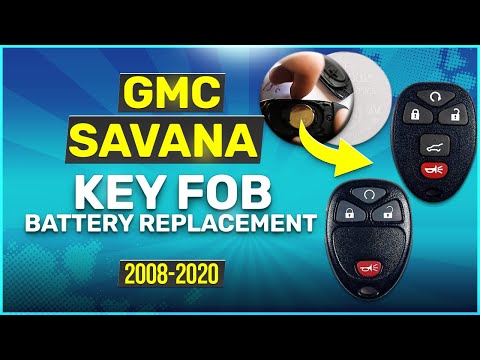
GMC Savana
(2003-2024 /
MK 2)
In today's video we see today we see how to replace the remote control battery in the GMC Savana. This video is also valid for other contemporary mod…
Other guides you may be interested in
|
How to Remove the Headlight Bulbs on a Toyota Rav4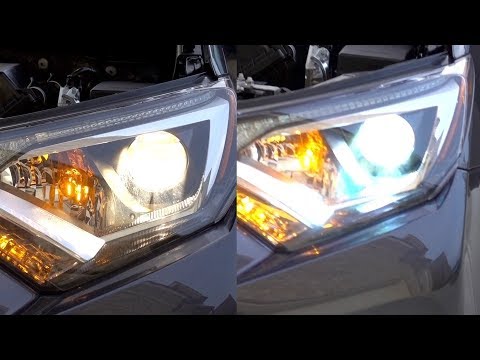
Let's see how to remove the headlight bulbs on a Toyota Rav4. Open the bonnet by pulling the lever located at the bottom right of the dashboard and secure it. Locate the inspection cap (if present) on the headlight and remove it (located at the rear of the headlight). At this point, you will find the bulbs with metal clips; pull the bulb holders out of the headlight and extract the damaged bulb using a screwdriver and pliers. Fit the new bulb (ensuring it is the correct type and size), insert the bulb holder back into the headlight housing, and close the headlight with the inspection cap. Test the lights to ensure they are functioning correctly. by ScegliAuto More videos
|
|
For advertising on this site Write to info@scegliauto.com
ScegliAuto is not responsible for any inaccuracy of the data in the lists. To report any inaccuracy or your business (if you own the business in question), please write to info@scegliauto.com
Number of seconds to generate the page: 0.107
(c) ScegliAuto 2026 - info@scegliauto.com - Privacy policy VAT number: IT01247470535 |
