
|
Do it yourself
| |||
| ||||


Model: Harley Davidson Big Twin
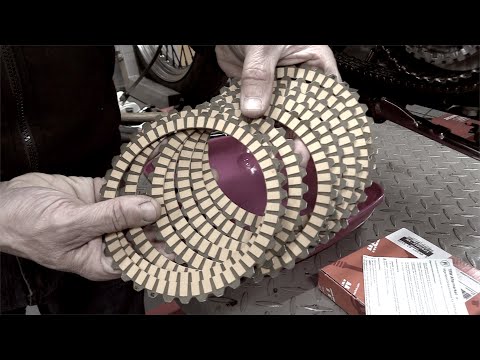
Discover the main steps to disassemble and replace the clutch kit and discs on a Harley Davidson Big Twin motorcycle. First, place your motorcycle on a stand and start unscrewing the fixing screws of the clutch side cover; once removed, you can unscrew the screws of the clutch pack, removing the main metal disc and then all the others made of cork, as shown in the video. At this point, install the new clutch discs correctly, alternating metal discs with cork ones, and reassemble everything!
Updated on 25 June 2026 by ScegliAuto
Video tutorial
Related tutorials
Big Twins
Let's explore the procedure for carrying out the routine maintenance service of changing the oil and oil filter on a Harley Davidson Big Twins motorc…
Sportster
Today, let’s look at the guide to remove and replace the clutch discs on a Harley Davidson Sportster motorcycle. First, place the bike on a stand and…

Iron
In this video, see how to disassemble and replace the clutch discs on a Harley Davidson Sportster 883 Iron. First, position your bike on the stand an…
|
How to Replace the Front Tyre on the Sym Wide Evo 125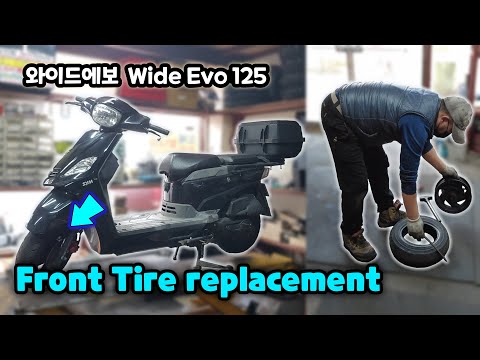
Below are the main steps that will allow you to remove and replace the front wheel and tyre of the Sym Wide Evo 125 scooter. First, place your scooter on the centre stand and start unscrewing the fixing screws of the front brake caliper to remove it; then unscrew the nuts of the front wheel, as shown in the video. At this point, remove the tyre from the rim, replacing it with the new one; then install the front wheel and reattach the brake caliper, applying the reverse procedure of disassembly! by ScegliAuto More videos
|
|
For advertising on this site Write to info@scegliauto.com
ScegliAuto is not responsible for any inaccuracy of the data in the lists. To report any inaccuracy or your business (if you own the business in question), please write to info@scegliauto.com
Number of seconds to generate the page: 0.008
(c) ScegliAuto 2026 - info@scegliauto.com - Privacy policy VAT number: IT01247470535 |
