
|
Do it yourself
| |||
| ||||


How to adjust the time on the Honda Forza scooter?
Model: Honda Forza
Video tutorial
In this tutorial, we will see how to adjust the time on the Honda Forza scooter, an extremely simple and quick operation to perform, for example, after disconnecting the battery or following the transition to daylight saving time. First, we insert the key, then we turn on the instrument panel and hold down both the "Info A" button and the "Info B" button until the clock starts to blink. Next, we move to the hour using the "Info B" button, adjust it with the "Info A" button, then move to the minutes and adjust those as well. To save the setting, simply press the "Info B" button one last time.
Posted on 9 January 2026 by ScegliAuto
Related tutorials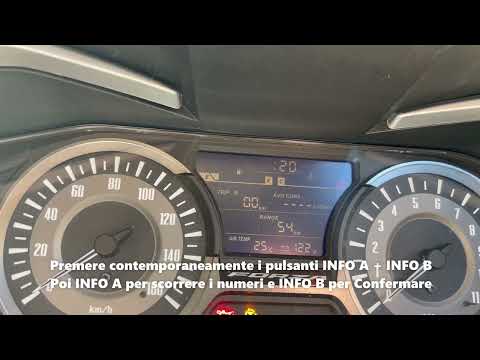
Forza
In this video tutorial, we will go through the steps to adjust the clock on the instrument panel of the Honda Forza 300 scooter. First, place the sco…

Forza
In this tutorial, we will see how to change the engine oil in the Honda Forza scooter, a very simple and quick operation. First, ensure that the engi…

Forza
In this video, see how to change some settings on the instrument cluster of the Honda Forza: press the "info A" button located on the left knob, at t…
|
How to replace the clutch lever on the Sherco SEF 300?
To replace the clutch lever on the Sherco SEF 300, you need to loosen the screws that secure the lever to its housing on the left side of the handlebars. Once these screws are loosened, you can unscrew the nut at the base of the lever to disconnect the clutch cable attached to the corresponding lever. Once the cable is detached, the lever can be removed from its housing and replaced with a new spare part; after installation, ensure that it functions correctly. by ScegliAuto More videos
|
|
For advertising on this site Write to info@scegliauto.com
ScegliAuto is not responsible for any inaccuracy of the data in the lists. To report any inaccuracy or your business (if you own the business in question), please write to info@scegliauto.com
Number of seconds to generate the page: 0.016
(c) ScegliAuto 2026 - info@scegliauto.com - Privacy policy VAT number: IT01247470535 |
