
|
Do it yourself
| |||
| ||||


Honda Forza - Video guides Honda Forza How to Replace the Rear Shock Absorber on a Honda Forza? You can replace the rear shock absorber on a Honda Forza by loosening the bolts that secure the component to its housing at the rear of the bike: the securing …Read all… Posted on 21 October 2026 by ScegliAuto  Honda Forza How to Reset the Service Light on a Honda Forza Scooter? In this tutorial, I will show you how to reset the service light on a Honda Forza scooter, a very simple and quick operation to perform only after completing …Read all… Posted on 4 September 2026 by ScegliAuto  Honda Forza How to Set the Clock on the Honda Forza Scooter? In this tutorial, we will see how to set the clock on the Honda Forza scooter, a very simple and quick operation to perform, for example, after disconnecting …Read all… Posted on 25 April 2026 by ScegliAuto  Honda Forza How to Install the Termoscud PRO R238 PRO on the Honda Forza To position the Termoscud Pro R238Pro on our Honda Forza from 125 to 350 and from 2023 onwards, you may have purchased it for example from 47bikerstore. The …Read all… Posted on 18 April 2026 by ScegliAuto  Honda Forza How to Replace the Spark Plug on a Honda Forza MF 10? To carry out the spark plug replacement on the Honda Forza MF 10, you will need to loosen the screws that secure the left side cover panel of the bike, just …Read all… Posted on 1 April 2026 by ScegliAuto  Honda Forza How to Change Engine Oil in the Honda Forza Scooter? In this tutorial, we will see how to change the engine oil in the Honda Forza scooter, a very simple and quick operation. First, ensure that the engine is …Read all… Posted on 8 February 2026 by ScegliAuto  Honda Forza How to Replace the Battery on a Honda Forza 750 Today, you will learn how to independently replace the battery on a Honda Forza 750 motorcycle. To perform the replacement, lift the seat as the battery is …Read all… Posted on 30 January 2026 by ScegliAuto  Honda Forza How to adjust the time on the Honda Forza scooter? In this tutorial, we will see how to adjust the time on the Honda Forza scooter, an extremely simple and quick operation to perform, for example, after …Read all… Posted on 9 January 2026 by ScegliAuto  Honda Forza How do you set the clock on the Honda Forza? To adjust the clock of the Honda Forza, you will need to turn on the instrument panel by inserting the ignition key into the corresponding slot: once the panel …Read all… Posted on 13 October 2025 by ScegliAuto  Honda Forza How to reset the oil light on the Honda Forza If the oil light on the display of your Honda Forza continues to stay on even after changing it, then you just need to proceed with manually resetting the …Read all… Posted on 30 August 2025 by ScegliAuto  Honda Forza How do you disassemble the engine of the Honda Forza? It will be possible to disassemble the engine of the Honda Forza by loosening the screws that secure the block to its housing, in the lower rear part of the …Read all… Posted on 30 May 2025 by ScegliAuto  Honda Forza How do you set the clock on the Honda Forza? To adjust the clock of the Honda Forza, you need to turn on the instrument panel and simultaneously press the INFO A and INFO B buttons; this will make the …Read all… Posted on 2 March 2025 by ScegliAuto  Honda Forza How to Change Display Settings on the Honda Forza In this video, see how to change some settings on the instrument cluster of the Honda Forza: press the "info A" button located on the left knob, at the top. …Read all… Posted on 1 November 2026 by ScegliAuto  Honda Forza Why has the remote control for the Honda Forza scooter stopped working? If the remote control for your Honda Forza scooter has suddenly stopped working, check the status of the battery and replace it if necessary. This is an …Read all… Posted on 9 October 2026 by ScegliAuto  Honda Forza How to Set the Time on a Honda Forza 125 Setting the time on a Honda Forza 125 is very simple. The first step is to turn on the ignition. Then, press the grey button at the bottom of the handlebars. …Read all… Posted on 2 October 2026 by ScegliAuto  Honda Forza How to Adjust the Time on the Forza 125 This video shows the step-by-step procedure to change the time on the dashboard of the Honda Forza 125 and 300. The procedure is very simple and takes little …Read all… Posted on 29 September 2026 by ScegliAuto  Honda Forza Oil Change Light Reset on Honda Forza 350 Thanks to this brief tutorial today, you will see the entire procedure necessary to reset the oil change light on your Honda Forza 350. First, press and hold …Read all… Posted on 22 September 2026 by ScegliAuto 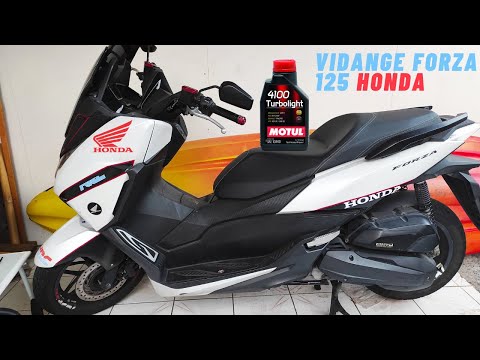 Honda Forza How to Change the Oil on a Honda Forza 125 Changing the engine oil on the Honda Forza 125 scooter is a very simple task. First, place your scooter on a flat surface and on a stand, then use a 17 mm …Read all… Posted on 20 September 2026 by ScegliAuto  Honda Forza How to reset the service light on the Honda Forza If the service light on your Honda Forza is illuminated continuously despite having completed the service, do not worry as you can easily reset it manually. …Read all… Posted on 11 September 2026 by ScegliAuto  Honda Forza How to Replace the Front Brake Pads on a Honda Forza 300? To replace the front brake pads on a Honda Forza 300, loosen the screws that secure the brake caliper to the corresponding disc, allowing you to completely …Read all… Posted on 31 August 2026 by ScegliAuto |
See also:
How to open the bonnet on a Volkswagen Golf?
In this tutorial, you will see how to open the bonnet on a Volkswagen Golf MK4. This is a very simple operation that follows the standard procedure. First, open the driver's door, then locate the lever in the lower left area and pull it. Next, move to the front of the vehicle, lift the bonnet slightly, and find the second lever located just above the Volkswagen logo. At this point, simply pull it towards you, fully open the bonnet, and secure it with the prop rod. To close it, gently push it down. by ScegliAuto More videos
|
For advertising on this site Write to info@scegliauto.com
ScegliAuto is not responsible for any inaccuracy of the data in the lists. To report any inaccuracy or your business (if you own the business in question), please write to info@scegliauto.com
Number of seconds to generate the page: 0.025
(c) ScegliAuto 2026 - info@scegliauto.com - Privacy policy VAT number: IT01247470535 |
