
|
Do it yourself
| |||
| ||||


Model: Honda Forza
In this tutorial, we will see how to set the clock on the Honda Forza scooter, a very simple and quick operation to perform, for example, after disconnecting the battery or when switching to daylight saving time. First, insert the key, then turn on the instrument panel and hold down both the "Info A" button and the "Info B" button until the time setting appears. Next, scroll through the various data using the "Info B" button, change them using the "Info A" button, and once finished, save the setting by scrolling through all the options.
Posted on 25 April 2026 by ScegliAuto
Video tutorial
Related tutorials
Forza
In this tutorial, we will see how to adjust the time on the Honda Forza scooter, an extremely simple and quick operation to perform, for example, aft…

Forza
In this tutorial, we will see how to change the engine oil in the Honda Forza scooter, a very simple and quick operation. First, ensure that the engi…

Forza
In this tutorial, you will see how to replace the windscreen on the Honda Forza scooter, a very simple and quick operation. First, using a cross-head…
|
How to Replace the Battery of the Kymco Agility 125?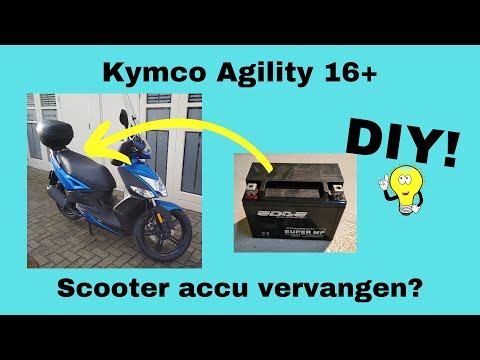
To replace the battery of the Kymco Agility 125, lift the seat to access the compartment underneath. At the rear of the under-seat compartment, you will find the battery under the corresponding panel. By unscrewing the screws that secure the panel, you can access the battery underneath, which must be freed from the corresponding securing screws and the appropriate power cables. Once the device is free, insert the new one, connecting and securing it properly, and cover everything with the panel. by ScegliAuto More videos
|
|
For advertising on this site Write to info@scegliauto.com
ScegliAuto is not responsible for any inaccuracy of the data in the lists. To report any inaccuracy or your business (if you own the business in question), please write to info@scegliauto.com
Number of seconds to generate the page: 0.008
(c) ScegliAuto 2026 - info@scegliauto.com - Privacy policy VAT number: IT01247470535 |
