
|
Do it yourself
| |||
| ||||


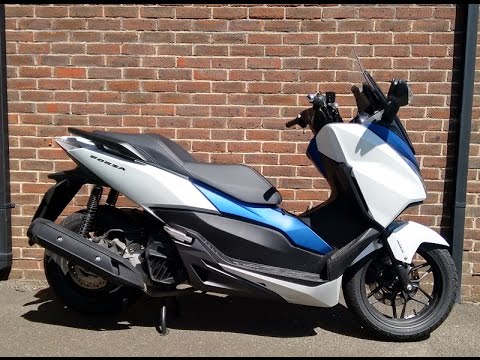
Model: Honda Forza
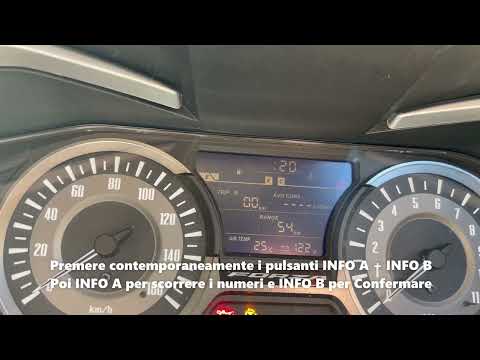
This video shows the step-by-step procedure for changing the time on the dashboard of the Honda Forza 125 and 300. The procedure is very simple and takes little time to complete. To reset the time, you need to start the dashboard without turning on the engine, then press the info a and info b buttons simultaneously, use the info b button to confirm the time format, then adjust the time with the info a button and once adjusted, press the info b button to confirm. Then adjust the minutes using the info a button and once adjusted, press the info b button to confirm.
Posted on 8 May 2024 by ScegliAuto
Video tutorial
Related tutorials
Forza
Setting the time on the Honda Forza 125 is very simple. The first step is to turn on the motorcycle's instrument panel and then press the gray button…
Forza
To change the engine oil of the Honda Forza 125, access the lower part of the bike where the oil drain plug is located in the central area. By unscre…
Forza
In this video tutorial, we will go through the steps to adjust the clock on the instrument panel of the Honda Forza 300 scooter. First, place the sco…
|
How to Reset the Oil Light on a Honda PCX 160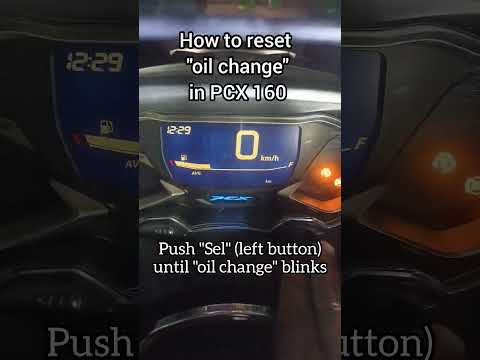
In this mini guide, discover the steps to manually reset the oil light on the central display of your Honda PCX 160. First, turn on the ignition with the key and press both the 'Sel' and 'Set' buttons located below it simultaneously. When the time starts to flash, hold 'Sel' until the oil indicator flashes, then press the 'Set' button once. To complete the reset, hold 'Sel' again until the operation is finished. by ScegliAuto More videos
|
|
For advertising on this site Write to info@scegliauto.com
ScegliAuto is not responsible for any inaccuracy of the data in the lists. To report any inaccuracy or your business (if you own the business in question), please write to info@scegliauto.com
Number of seconds to generate the page: 0.006
(c) ScegliAuto 2026 - info@scegliauto.com - Privacy policy VAT number: IT01247470535 |
