
|
Do it yourself
| |||
| ||||


|
Model: Honda Cbr 600 Rr
In this video, we will see how to update the clock on the Honda CBR 600RR: turn on the ignition by turning the key to position one, then use the two buttons located on the left side of the dial. Press and hold both buttons for a few seconds to enter the mode that allows you to change the time, which will be indicated by the time, located at the bottom right of the dial, just below the total mileage, starting to flash. Change the hour using the two buttons: the upper button will allow you to change the hour, and pressing it will increment the number by one, while holding it will speed up the change. Pressing the upper button will switch to minutes, and repeat the operation. Confirm with the upper button.
Posted on 23 February 2026 by ScegliAuto
Video tutorial
Related tutorials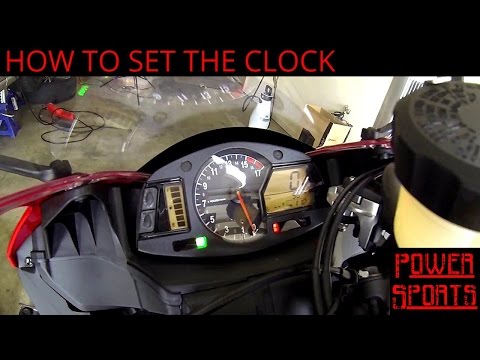
Cbr 600 Rr
To manually change the time displayed on the dashboard of your Honda CBR 600 RR, follow these steps. First, position your bike on its stand, insert t…
Cbr 600 Rr
In this video tutorial, you will see how to remove and replace the battery of the Honda CBR 600 RR, following the instructions below. First, remove t…

Cbr 600 Rr
In this tutorial, we will see how to set the time on the Honda CBR 600RR, an extremely simple and quick operation, to be done, for example, after dis…
|
How to Replace the Coolant in the Piaggio Medley 125?
To replace the coolant in the Piaggio Medley 125, loosen the screws securing the side grille of the scooter to remove it and access the radiator underneath. At the base of the radiator, locate the drain plug, which must be unscrewed to allow the coolant to flow into a suitably positioned container. Next, open the under-seat compartment and locate the coolant refill cap: by opening this cap, you can insert the new coolant. by ScegliAuto More videos
|
|
For advertising on this site Write to info@scegliauto.com
ScegliAuto is not responsible for any inaccuracy of the data in the lists. To report any inaccuracy or your business (if you own the business in question), please write to info@scegliauto.com
Number of seconds to generate the page: 0.005
(c) ScegliAuto 2026 - info@scegliauto.com - Privacy policy VAT number: IT01247470535 |
