
|
Do it yourself
| |||
| ||||


Model: Honda Cb500x
In this article, you will learn how to adjust the time on the Honda CB500X. First, turn on the instrument cluster, then press and hold the SELECT and SET buttons for a few seconds; the time displayed will start to flash. At this point, release the buttons, select the time format using the SELECT button, and adjust the time using the SELECT button. Confirm by pressing the SET button. After adjusting the time, adjust the minutes using the SELECT button, and confirm again with the SET button. Now the procedure is complete, and the time is set.
Posted on 20 March 2026 by ScegliAuto
Video tutorial
Related tutorials
Cb500x
In this tutorial, see how to adjust the time on the Honda CB500X, a very simple and quick operation to perform, for example, after disconnecting the …

Cb500x
In this tutorial, we will see how to adjust the time on a Honda CB500X, a very simple and quick operation, which can be done after disconnecting the …

Cb500x
In this tutorial, you will see how to change the engine oil in a Honda CB500X, a very simple and quick operation. First, ensure that the engine is su…
|
How do you reset the Oil Check light on the Sym VF 185?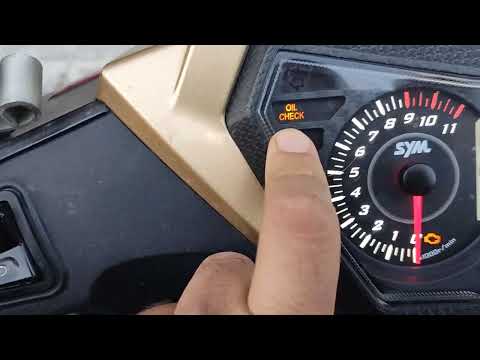
In order to reset the Oil Check light on the Sym VF 185, you need to turn on the instrument panel by turning the key in the ignition switch. Once the panel is on, you can press and hold the button located at the bottom right of the instrument panel for a few seconds. You will need to continue holding the button for a few seconds and then release it before pressing the next button. This will make the Oil Check light disappear from the instrument panel, and you can turn it off again by turning the key in the opposite direction. by ScegliAuto More videos
|
|
For advertising on this site Write to info@scegliauto.com
ScegliAuto is not responsible for any inaccuracy of the data in the lists. To report any inaccuracy or your business (if you own the business in question), please write to info@scegliauto.com
Number of seconds to generate the page: 0.402
(c) ScegliAuto 2026 - info@scegliauto.com - Privacy policy VAT number: IT01247470535 |
