
|
Do it yourself
| |||
| ||||


How to change the language on the display of the Honda Jazz
Model: Honda Jazz
MK 4
- Years 2019-2026
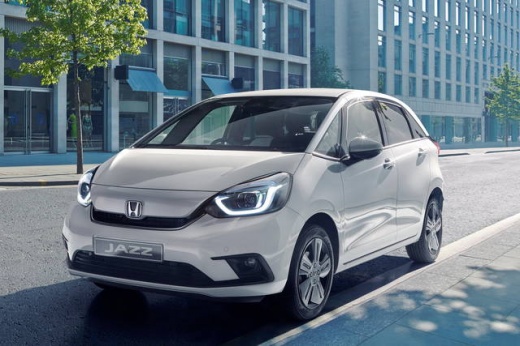
In this video we can see how to change the language on the display of the Honda Jazz: We will need the keypad located at the bottom of the steering wheel, on the left side. More precisely, we will need the button/lever with the inscription "sel/reset" that we will need to lift, starting from the starting screen, to get to the "menu" and from there we scroll until we get to the language. Here we have several options to choose from: we always select it with the "sel/reset" lever, which we then confirm. From here we can also choose between degrees Celsius or Fahrenheit.
Posted on 19 November 2024 by ScegliAuto
Video tutorial
Related tutorials
Honda Jazz
(2008-2013 /
MK 2)
In this tutorial we can see how to reset the Honda Jazz service, an extremely simple and fast operation. Before doing this, make sure you have comple…

Honda Jazz
(2013-2019 /
MK 3)
Today's instructions will show us how to reset the maintenance service light for the engine oil change on the Honda Jazz. First, we get into the car …

Honda Jazz
(2013-2019 /
MK 3)
If you intend to connect to the ECU of your Honda Jazz third generation (2018), but do not know where the OBD port is located to connect the diagnost…
Other guides you may be interested in
|
Replacing the Battery in a Mercedes A-Class
Is the battery in your Mercedes A-Class dead? Can't start the car? Replace the battery. Open the car door and slide the passenger seat back; the battery is under the front mat (in other cars, it is usually located in the engine compartment). Remove the mat and the plastic cover from the battery. Start loosening the battery terminal bolts with a socket wrench. Remove the old battery using the plastic handle and install a new one, tightening the power terminals. Close the battery compartment and cover it with the mat. by ScegliAuto More videos
|
|
For advertising on this site Write to info@scegliauto.com
ScegliAuto is not responsible for any inaccuracy of the data in the lists. To report any inaccuracy or your business (if you own the business in question), please write to info@scegliauto.com
Number of seconds to generate the page: 0.122
(c) ScegliAuto 2026 - info@scegliauto.com - Privacy policy VAT number: IT01247470535 |
