
|
Do it yourself
| |||
| ||||


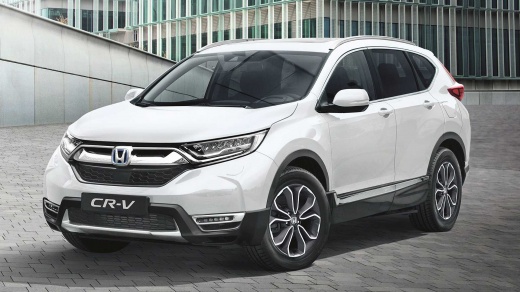
How to reset the tyre pressure on the Honda CR-V MK5
Model: Honda CR-V
MK 5
- Years:
2017, 2018, 2019, 2020, 2021, 2022
Video tutorial
The procedure for resetting the tyres works for both the CR-V and HR-V: before performing the reset, ensure all tyres are inflated to the correct pressure, comparing it with the figure indicated on the driver's door pillar. Turn on the ignition, press the "settings" button on the infotainment display, and select "vehicle". In the submenu, select "TPMS calibration" and at this point, the warning light on the dashboard should turn off immediately. Perform a final check by pressing "home" to exit the menu; turn off and restart the engine: the light should not come back on. If it does, there may be a problem with the TPMS or a tyre that has not been inflated properly.
Posted on 31 October 2026 by ScegliAuto
Related tutorials
Honda CR-V
(2017-2022 /
MK 5)
On Honda, the tyre pressure monitoring system is called the "Deflation Warning System": the light comes on when there is a pressure difference betwee…

Honda CR-V
(2017-2022 /
MK 5)
Today we will see information on how to reset the tire pressure warning on the Honda CR-V; before resetting the TPMS sensors, it is necessary that al…

Honda CR-V
(2017-2022 /
MK 5)
Today, we will look at how to reset the tyre pressure monitoring system (TPMS) light on a Honda CR-V. Before recalibrating the TPMS sensors, ensure a…
Other guides you may be interested in
|
How to Activate the Disabled TRC on the Toyota Yaris?
As the video clearly shows, disabling or activating the traction control (TRC or ESP) on the Toyota Yaris is very simple. By default, the traction system activates every time the vehicle is started. To disable it, simply press the button depicting a skidding car located in the centre of the vehicle where the controls are, such as the hazard lights and the radio, but near the handbrake. Once disabled, the TRC off light will illuminate on the dashboard. To reactivate it, just press the same button again. by ScegliAuto More videos
|
|
For advertising on this site Write to info@scegliauto.com
ScegliAuto is not responsible for any inaccuracy of the data in the lists. To report any inaccuracy or your business (if you own the business in question), please write to info@scegliauto.com
Number of seconds to generate the page: 0.029
(c) ScegliAuto 2026 - info@scegliauto.com - Privacy policy VAT number: IT01247470535 |
