
|
Do it yourself
| |||
| ||||


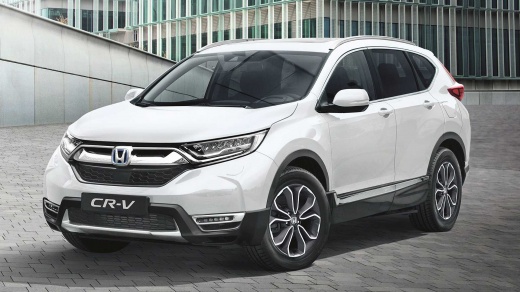
How to set the time on a Honda CR-V
Model: Honda CR-V
- Years:
2017, 2018, 2019, 2020, 2021, 2022
Video tutorial
Setting the time on a Honda CR-V is quick and straightforward. You may need to do this after disconnecting the battery or when the clocks change. Get into the car, insert the key and switch on the ignition. Press the relevant button to open the main menu on the touchscreen. Select "Settings", "Clock" and "Clock Adjustment", then set the time as required. Return to the home screen to save the setting.
Posted on 24 November 2026 by ScegliAuto
Related tutorials
Honda CR-V
(2023-2026 /
MK 6, RS)
In this tutorial, we can see how to adjust the time in the Honda CR-V, an extremely simple and quick operation to be carried out, for example, after …

Honda CR-V
(2012-2017 /
MK 4)
In this tutorial we can see how to adjust the time in the Honda CR-V, an extremely simple and quick operation, to be carried out for example after th…

Honda CR-V
(2012-2017 /
MK 4)
In this tutorial we can see how to adjust the time in the Honda CR-V, an extremely simple and fast operation, to be carried out for example after rep…
ScegliAuto offers an extensive international collection of automotive tutorials available in 12 languages. Each guide combines instructional videos with original explanations written by experienced human editors, along with information about the car models covered.
Other guides you may be interested in
|
How to Open the Bonnet of the Peugeot 206
Today's guide will show you the procedure necessary to open the bonnet of the Peugeot 206 in simple and quick steps. First, open the driver's front door and start pulling the small lever that releases the bonnet lock (located at the bottom); then move to the front of your car and lift the tab found in the centre of the bonnet (near the manufacturer's badge), as shown in the video. At this point, secure the prop rod on the bonnet to hold it up, ensuring it is perfectly inserted! by ScegliAuto More videos
|
|
For advertising on this site Write to info@scegliauto.com
ScegliAuto is not responsible for any inaccuracy of the data in the lists. To report any inaccuracy or your business (if you own the business in question), please write to info@scegliauto.com
Number of seconds to generate the page: 0.183
(c) ScegliAuto 2026 - info@scegliauto.com - Privacy policy - About us VAT number: IT01247470535 |
