
|
Do it yourself
| |||
| ||||


Coolant Replacement
Model: Honda Civic
MK 6
- Years 1995-2001
This tutorial shows how to replace the coolant on a Honda Civic. The first step is to disconnect the two battery terminals and remove the battery: any spillage could damage it. The vehicle should then be placed on a jack to access the bottom of the reservoir. Locate the cap of the coolant reservoir in the engine bay and unscrew it (this will speed up the draining process of the old coolant), then go under the vehicle and remove the lower cap; collect the fluid in a container. Using a ratchet spanner, remove the coolant reservoir and disconnect its two hoses. Once thoroughly cleaned, refit it in its place, then proceed to add the new coolant (red) and reinstall the battery. The draining process can also be done twice to ensure as much old fluid as possible is removed.
Updated on 5 February 2026 by ScegliAuto
Video tutorial
Related tutorials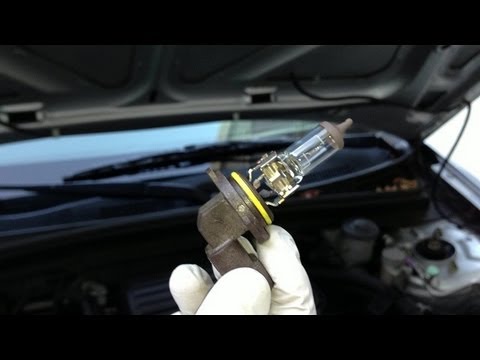
Honda Civic
(2001-2006 /
MK 7)
To replace the left front bulb of the Honda Civic, open the bonnet and then move the washer fluid reservoir and the coolant reservoir. Once these two…

Honda Civic
(2012-2015 /
MK 9)
To replace the bulbs on this model of car, you need to access from inside without removing the entire headlamp. You just need to create enough space …

Honda Civic
(2016-2021 /
MK 10)
In this video, we can see some issues to be aware of if you are considering buying a used Honda: The 1.5 turbo engines fitted in the CR-V, Civic, and…
Other guides you may be interested in
|
How to Open the Bonnet on the Lancia Y
To open the bonnet on this vehicle, follow these simple instructions: first, open the driver's door and locate the lever positioned just below the dashboard, marked with an image of the vehicle with the bonnet open. Pull this lever towards you until you hear a "click" indicating the bonnet is released. Next, exit the cabin and stand in front of the bonnet to disengage the safety catch and complete the opening. To do this, slightly lift the bonnet, locate the yellow lever underneath, and pull it to the left to fully release and open the bonnet. by ScegliAuto More videos
|
|
For advertising on this site Write to info@scegliauto.com
ScegliAuto is not responsible for any inaccuracy of the data in the lists. To report any inaccuracy or your business (if you own the business in question), please write to info@scegliauto.com
Number of seconds to generate the page: 0.127
(c) ScegliAuto 2026 - info@scegliauto.com - Privacy policy VAT number: IT01247470535 |
