
|
Do it yourself
| |||
| ||||


Model: Husqvarna Husqvarna Te 300
To change the gearbox oil on a Husqvarna TE 300, start by placing the bike on a stand to keep it stable and upright. Make sure the engine is warm to facilitate oil drainage. Locate the oil drain bolt under the engine and carefully loosen it using an appropriate wrench. Let the oil completely drain into a container. Once the oil has been emptied, securely tighten the drain bolt. Finally, refill the gearbox with new oil, following the quantity and type specified in the bike manual. Make sure not to exceed the correct level.
Posted on 7 September 2024 by ScegliAuto
Video tutorial
Related tutorials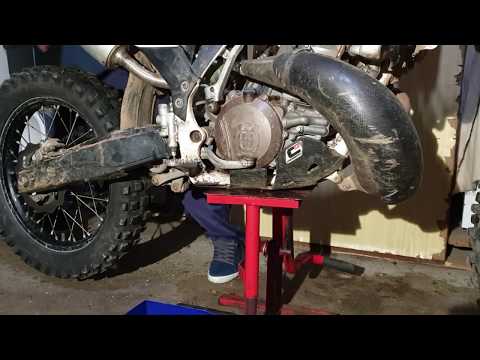
Te 300i
This brief guide illustrates the procedure for carrying out routine maintenance by replacing the engine oil and oil filter of the Husqvarna TE 300 2-…

Tx 300
You can change the engine oil on a Husqvarna TX 300 by loosening the drain plug located at the bottom centre of the instrument panel, allowing the us…

Tx 300
To change the engine oil on the Husqvarna TX 300, loosen the oil drain plug located at the bottom of the bike. Once the plug is unscrewed, allow the …
|
How to Replace and Install the Front Wheel on a Beta RR 300
Today, we will go through the instructions to install or replace the front wheel on the Beta RR 300 enduro bike by following these simple steps. First, place your bike on a stand and lift the front wheel off the ground. Next, unscrew the fixing bolts of the front brake caliper to remove it. At this point, unscrew the central axle of the wheel, removing and possibly replacing the tyre. Then, tighten the fork nuts and reassemble everything by reversing the disassembly procedure! by ScegliAuto More videos
|
|
For advertising on this site Write to info@scegliauto.com
ScegliAuto is not responsible for any inaccuracy of the data in the lists. To report any inaccuracy or your business (if you own the business in question), please write to info@scegliauto.com
Number of seconds to generate the page: 0.013
(c) ScegliAuto 2026 - info@scegliauto.com - Privacy policy VAT number: IT01247470535 |
