
|
Do it yourself
| |||
| ||||



How to Reset the Service Light in the Hyundai i30
Model: Hyundai I30
MK 3, PD
- Years:
2016, 2017, 2018, 2019, 2020, 2021, 2022, 2023, 2024
Video tutorial
Below you will find information on how to correctly reset the service light in your Hyundai i30. The steps are very simple and quick. First, turn on the ignition, then press the "setup" button located on the control panel below the car screen. At this point, the image of your car will appear at the top left; select it and then navigate to the CONVENIENCE option. You will then enter the car settings. Here, as explained in the video, if you want to reset the maintenance interval, press the "select" option; you will find yourself in the maintenance interval menu, so scroll down until you find the "reset" option. Click on this option, and the car will ask you to confirm the reset, and your operation will be complete.
Posted on 27 May 2026 by ScegliAuto
Related tutorials
Hyundai I30
(2011-2016 /
GD, MK 2)
Today's instructions will allow us to reset the service light of the Hyundai I30 in simple steps. First, let's get inside the vehicle and start turni…

Hyundai I30
(2011-2016 /
GD, MK 2)
To reset the service light on the Hyundai i30, turn the key to switch on the instrument cluster and navigate through its menu using the TRIP button. …
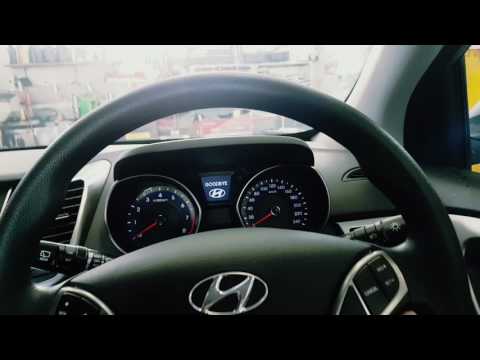
Hyundai I30
(2011-2016 /
GD, MK 2)
To reset the Service light on the Hyundai i30, insert the key and turn it to switch on the instrument cluster. You can then navigate through the menu…
Other guides you may be interested in |
How to Change the Time on the Peugeot 208
Today's guide will show you how to set the clock on the Peugeot 208's onboard computer, following the instructions below. First, get in the car and turn on the instrument panel; then press and hold the settings button on the panel for a few seconds until the time starts to flash, as shown in the video. At this point, press the left button to correctly set the time, adjusting the hour first and then the minutes; exit the onboard computer menu to save all the changes made! by ScegliAuto More videos
|
|
For advertising on this site Write to info@scegliauto.com
ScegliAuto is not responsible for any inaccuracy of the data in the lists. To report any inaccuracy or your business (if you own the business in question), please write to info@scegliauto.com
Number of seconds to generate the page: 0.012
(c) ScegliAuto 2026 - info@scegliauto.com - Privacy policy VAT number: IT01247470535 |
