
|
Do it yourself
| |||
| ||||



How to Clean the MAP Sensor on Hyundai Tucson
Model: Hyundai Tucson
MK 3, TL
- Years:
2015, 2016, 2017, 2018, 2019, 2020, 2021
Video tutorial
Here’s how to clean the MAP sensor on the Hyundai Tucson. Remove the engine cover, then disconnect the electrical connector for safety. Using a 10mm spanner, remove the sensor located in a very visible position. To clean it, use a soft brush to remove the accumulated dust. Shake it well and blow on it—do not use an air compressor as it could damage the membrane inside. Ensure you can see the vanes at the bottom. Use a vacuum cleaner to clean the area on the engine as well. Now you can refit it by replacing the two 10mm bolts, reconnecting the electrical part, and putting the cover back in place. Job done.
Updated on 2 July 2026 by ScegliAuto
Related tutorials
Hyundai Tucson
(2015-2021 /
MK 3, TL)
To reset the tyre pressure warning light displayed on the instrument cluster of the Hyundai Tucson, turn on the ignition to check via the onboard com…

Hyundai Tucson
(2015-2021 /
MK 3, TL)
In this video, find out why a TPMS sensor may not function on a Hyundai Tucson, although the reasons are generally the same for all vehicles. First, …
Hyundai Tucson
(2015-2021 /
MK 3, TL)
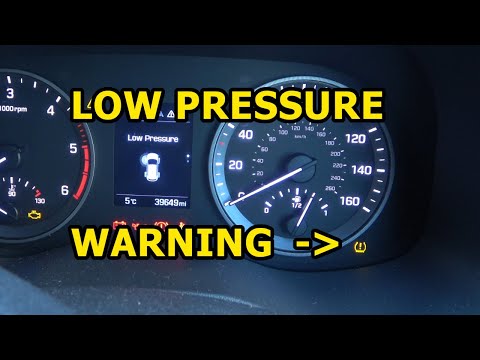
To reset the low tyre pressure warning light on a Hyundai Tucson, first inflate the tyre indicated by the warning light. Use the pressure value shown…
Other guides you may be interested in
|
How to reset the service light on the Kawasaki Versys 1000
Resetting the service light on the Kawasaki Versys 1000 is a straightforward operation that can be done independently, aided by our brief video tutorial. Start the reset procedure by turning on the instrument cluster, then simultaneously press the right and left buttons on the left lever. Once in the menu, select the service option and wait for the reset to load; once completed, press the two buttons again to return to the main menu and restart the instrument cluster to complete the reset of the service light. by ScegliAuto More videos
|
|
For advertising on this site Write to info@scegliauto.com
ScegliAuto is not responsible for any inaccuracy of the data in the lists. To report any inaccuracy or your business (if you own the business in question), please write to info@scegliauto.com
Number of seconds to generate the page: 0.026
(c) ScegliAuto 2026 - info@scegliauto.com - Privacy policy VAT number: IT01247470535 |
