
|
Do it yourself
| |||
| ||||



What to do when the TPMS light flashes on a Hyundai
Model: Hyundai ix35
MK 1
- Years:
2009, 2010, 2011, 2012, 2013, 2014, 2015
Video tutorial
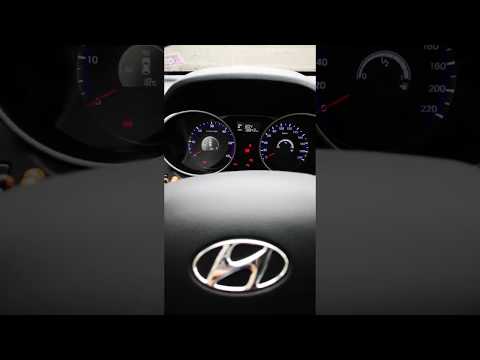
In this video, we will see what to do when the TPMS light flashes on the dashboard of a Hyundai IX35. If the light stays on, it means you have a flat tyre, but if it flashes, there is a malfunction in the system. To diagnose the issue, locate the EOBD socket, found at the bottom of the dashboard on the driver's side: connect the OBD scanner and check the tablet for information, ensuring the vehicle is off. Go to "diagnostics" and perform a full scan, then select TPMS: it indicates a fault in the radio frequency channel; it is most likely a flat battery inside one of the sensors. The YouTuber replaced all of them, so now the battery levels are normal for all four tyres. The light has turned off and everything is back to normal.
Updated on 23 August 2026 by ScegliAuto
Related tutorials
Hyundai ix35
(2009-2015 /
MK 1)
The TPMS light illuminates when maintenance of the tyres is required. Once the tyre pressure is adjusted according to the manufacturer's specificatio…
Hyundai ix35
(2009-2015 /
MK 1)
In this tutorial, we will see how to set the clock on a Hyundai IX35, model produced from 2009 to 2015. First, we need to switch on the instrument pa…
Hyundai ix35
(2009-2015 /
MK 1)
The tyre pressure monitoring system is an essential safety feature on all vehicles. It constantly monitors tyre pressure and alerts when levels drop …
Other guides you may be interested in
|
How to Set the Time in an Audi A4?
In this tutorial, you will see how to set the time in an Audi A4, a very simple and quick operation to perform after replacing the battery or when the time changes. First, insert the key and turn on the instrument cluster. Then, press the "SETUP" button located on the center console. Next, press the upper left arrow button, navigate to the "Time" option, and use the central knob to adjust the clock. Finally, set any necessary formats and save by returning to the main screen. by ScegliAuto More videos
|
|
For advertising on this site Write to info@scegliauto.com
ScegliAuto is not responsible for any inaccuracy of the data in the lists. To report any inaccuracy or your business (if you own the business in question), please write to info@scegliauto.com
Number of seconds to generate the page: 0.051
(c) ScegliAuto 2026 - info@scegliauto.com - Privacy policy VAT number: IT01247470535 |
