
|
Do it yourself
| |||
| ||||


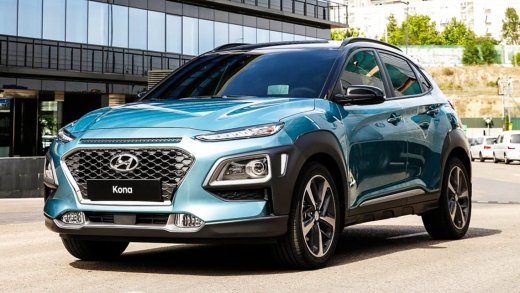
How to Change the Battery in a Hyundai Kona
Model: Hyundai Kona
- Years 2017-2023
Video tutorial
To replace the battery in a Hyundai Kona, open the vehicle's bonnet and locate the battery in the engine bay. Remove the plastic cover if present to access the terminals. Loosen the negative terminal clamp and disconnect it, then loosen the positive terminal clamp. Unscrew the bracket or support that secures the battery to the base and carefully remove it from its housing. Position the new battery in the same place and secure it with the support bracket. Then connect the positive terminal first, followed by the negative terminal, ensuring they are tight.
Posted on 8 October 2026 by ScegliAuto
Related tutorials
Hyundai Kona
(2017-2023 /
MK 1)
In this brief video guide, we will see the step-by-step procedure to change the battery (CR2032) of a Hyundai Kona key, first generation model produc…

Hyundai Kona
(2023-2026 /
MK 2)
If the remote for your new 2025 Hyundai Kona has stopped working and you are sure the issue is a dead battery, you can follow the steps outlined in t…
Hyundai Kona
(2017-2023 /
MK 1)
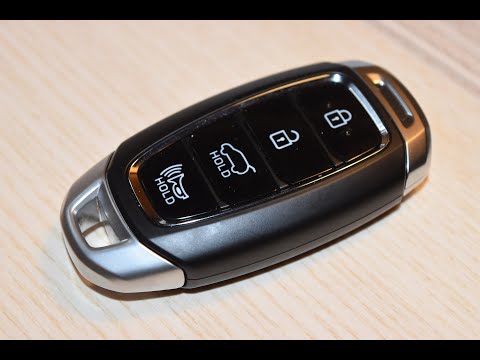
Follow these step-by-step instructions to disassemble and replace the battery in the key fob for the Hyundai Kona. First, take your key fob and remov…
Other guides you may be interested in
|
How to Set the Time and Date on a Citroen C3 Picasso
Setting the time and date on a Citroen C3 Picasso is very straightforward. First, turn on the vehicle and press the Menu button on the radio to access the car settings. Press the arrow button to scroll through the menu and select the "TIME" option. Set the hours and press the OK button. Next, adjust the minutes. Once completed, proceed to set the date. Select the "DATE" option and use the same buttons to set the date. Finally, switch off the instrument panel and restart it to verify the new time and date settings. by ScegliAuto More videos
|
|
For advertising on this site Write to info@scegliauto.com
ScegliAuto is not responsible for any inaccuracy of the data in the lists. To report any inaccuracy or your business (if you own the business in question), please write to info@scegliauto.com
Number of seconds to generate the page: 0.173
(c) ScegliAuto 2026 - info@scegliauto.com - Privacy policy VAT number: IT01247470535 |
