
|
Do it yourself
| |||
| ||||


How to Reset the Tyre Warning Light in a Hyundai i20
Model: Hyundai I20
IB, MK 2, GB
- Years:
2014, 2015, 2016, 2017, 2018, 2019, 2020, 2021
Video tutorial
The constant and accurate monitoring of the tyres in the Hyundai i20 is managed by electronic sensors, which continuously communicate with the vehicle's control unit. If there is a drop in tyre pressure, the warning light on the dashboard will illuminate. The sensors mentioned are clearly visible in the video, and through them, we can see where they are positioned. Remember that the aforementioned warning light may also illuminate due to a failure of the sensors. Now, let's reset the warning light, of course after addressing any tyre anomalies, such as punctures or cuts. With the dashboard lit, press and hold the Set button for a few seconds, located to the left of the steering wheel, at the bottom, waiting for the warning light to turn off.
Updated on 9 October 2026 by ScegliAuto
Related tutorials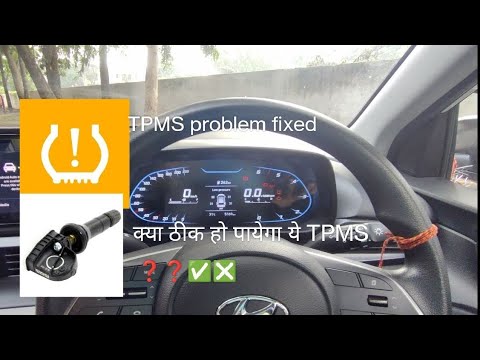
Hyundai I20
(2020-2026 /
MK 3, BC3)
To reset the tyre pressure light on the Hyundai i20, first inflate the tyres to the pressure values indicated on the sticker attached to the driver's…

Hyundai I20
(2020-2026 /
MK 3, BC3)
If the low tyre pressure light is displayed on the Hyundai i20 dashboard, it means that at least one of the four tyres is at insufficient inflation p…

Hyundai I20
(2020-2026 /
MK 3, BC3)
The tire pressure warning light reset in the Hyundai I20 is simply done by pressing a button, located on the left side of the steering wheel, recogni…
Other guides you may be interested in
|
How to Enter the Unlock Code for the Radio in the Nissan Micra?
In this tutorial, you will see how to enter the unlock code for the radio in the Nissan Micra, a very simple operation to perform in case of memory loss after replacing the battery. The code can be found in the documents provided at purchase or through one of the various online recovery services. First, turn on the instrument panel, then repeatedly press the "1" button until you reach the first digit of the code. Follow the same logic to enter the remaining 3 digits using the "2", "3", and "4" buttons, and confirm the entry with the up arrow button. by ScegliAuto More videos
|
For advertising on this site Write to info@scegliauto.com
ScegliAuto is not responsible for any inaccuracy of the data in the lists. To report any inaccuracy or your business (if you own the business in question), please write to info@scegliauto.com
Number of seconds to generate the page: 0.108
(c) ScegliAuto 2026 - info@scegliauto.com - Privacy policy VAT number: IT01247470535 |
