
|
Do it yourself
| |||
| ||||


How to enter the radio code of an Iveco Daily vehicle?
Model: IVECO Daily
MK 4
- Years 2006-2020
Today we will explain how to enter the unlock code for the radio on an Iveco Daily vehicle. After replacing the battery, it is necessary to reset the radio by entering the unlock code, available in the instruction manual or on the "Radio Code Calculator" website. To enter the unlock code, we need to turn on the vehicle and the radio. Then press the numerical buttons to enter the code, in the case of the demonstration video the code is: 7965. Press the numerical buttons multiple times to enter the various numbers and finally press the OK button, wait a few seconds and turn off the vehicle.
Posted on 13 October 2024 by ScegliAuto
Video tutorial
Related tutorials
IVECO Daily
(2006-2020 /
MK 4)
When the error message or enter radio code is displayed on an Iveco Daily vehicle, it means that in order to resume using the radio, the radio unlock…

IVECO Daily
(2006-2020 /
MK 4)
The car radio of an Iveco Daily vehicle may present connectivity issues after some time, in these cases it is necessary to reset the settings. To per…

IVECO Daily
(2006-2020 /
MK 4)
When replacing the battery or any electrical components on an Iveco Daily vehicle, it is immediately necessary to reset the radio by entering the unl…
Other guides you may be interested in
|
How to Remove the Fuel Pump on Toyota Verso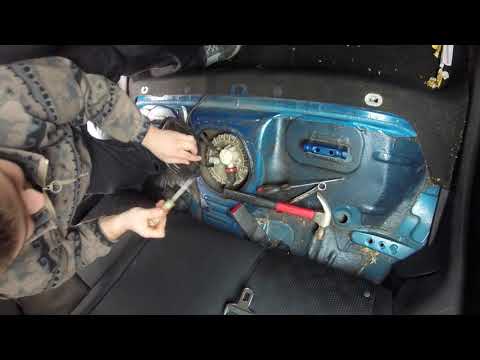
Let's see how to remove the fuel pump on a Toyota Verso. First, disconnect the battery cables, then remove the rear seat from the car. You will find various wiring and a metal piece with screws; unscrew the securing screws of the metal cap and remove it. Wrap the entire perimeter of the metal panel with paper or an absorbent cloth, then, using a screwdriver and hammer, unscrew the large bolt around the pump. Disconnect the power terminals and the fluid circulation tubes. Extract the fuel pump. To reassemble, proceed in reverse order. by ScegliAuto More videos
|
|
For advertising on this site Write to info@scegliauto.com
ScegliAuto is not responsible for any inaccuracy of the data in the lists. To report any inaccuracy or your business (if you own the business in question), please write to info@scegliauto.com
Number of seconds to generate the page: 0.090
(c) ScegliAuto 2026 - info@scegliauto.com - Privacy policy VAT number: IT01247470535 |
