
|
Do it yourself
| |||
| ||||


Activate Bluetooth connection on Iveco vehicles
Model: IVECO Iveco Various
Video tutorial
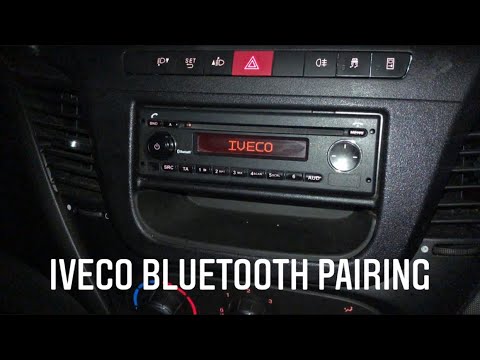
Connecting our smartphone to the audio system of Iveco vehicles allows us to access the playlists available to listen to them through the vehicle's system, and to answer and make calls comfortably. To do this, we must create a connection between the two devices using the Bluetooth protocol. To do this: turn on the car radio, and select the BT ON option on the display. With the smartphone, search for available Bluetooth networks and select Iveco Radio. A numerical code will appear on the car radio display that we must enter on the smartphone to establish the connection and use the two devices.
Posted on 13 April 2025 by ScegliAuto
Related tutorials
IVECO Iveco Various
In order to connect the smartphone to the bluetooth car radio of Iveco vehicles, you need to turn on the instrument panel so that the device can be t…

IVECO Iveco Various
You can connect your smartphone to the audio system of your vehicle to make and receive calls and access your playlist to listen to your favourite mu…
IVECO Iveco Various
Having Bluetooth paired with our infotainment system is a necessity, even more pressing in a commercial vehicle. Let's see how to pair with an Iveco …
Other guides you may be interested in |
How to Set the Time in an Audi A4?
In this tutorial, you will see how to set the time in an Audi A4, a very simple and quick operation to perform after replacing the battery or when the time changes. First, insert the key and turn on the instrument cluster. Then, press the "SETUP" button located on the center console. Next, press the upper left arrow button, navigate to the "Time" option, and use the central knob to adjust the clock. Finally, set any necessary formats and save by returning to the main screen. by ScegliAuto More videos
|
|
For advertising on this site Write to info@scegliauto.com
ScegliAuto is not responsible for any inaccuracy of the data in the lists. To report any inaccuracy or your business (if you own the business in question), please write to info@scegliauto.com
Number of seconds to generate the page: 0.009
(c) ScegliAuto 2026 - info@scegliauto.com - Privacy policy VAT number: IT01247470535 |
