
|
Do it yourself
| |||
| ||||


How do you reset an Iveco radio?
Model: IVECO Iveco Various
Video tutorial
In this short video we can see how to reset the radio of an Iveco van: make sure that the instrument panel is on: this way we will also turn on the radio; find the CD eject button: this button is usually labeled with the word "eject". Press and hold this button for ten seconds. Wait for the reset procedure: after holding down the button, we should look at the message displayed on the screen, which indicates that the reset procedure has started. Wait until the procedure is completed. Once the reset is finished, the radio will restart with the factory settings. If you reset the radio due to a malfunction, make sure there are no problems in the electrical system; in any case, consult the user manual that will help us solve our problems. For newer models (2014-2023) the reset process is done by simultaneously pressing the volume button and the start button.
Posted on 27 May 2025 by ScegliAuto
Related tutorials
IVECO Iveco Various
To reset the radio of Iveco vehicles, you can turn on the instrument panel by inserting the ignition key into the corresponding slot. Once the panel …

IVECO Iveco Various
In this video, we see how to reset an Iveco 2025 radio: the first thing we need to do is to look for the reset button on our radio, which may vary de…
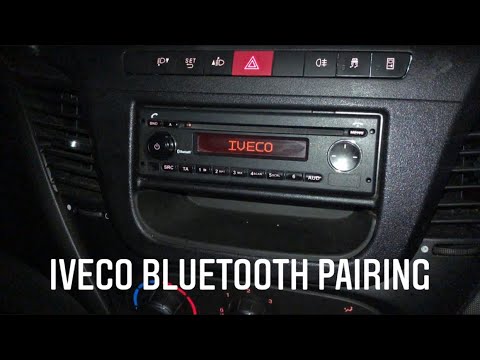
IVECO Iveco Various
Having Bluetooth paired with our infotainment system is a necessity, even more pressing in a commercial vehicle. Let's see how to pair with an Iveco …
Other guides you may be interested in |
How to Set the Time in an Audi A4?
In this tutorial, you will see how to set the time in an Audi A4, a very simple and quick operation to perform after replacing the battery or when the time changes. First, insert the key and turn on the instrument cluster. Then, press the "SETUP" button located on the center console. Next, press the upper left arrow button, navigate to the "Time" option, and use the central knob to adjust the clock. Finally, set any necessary formats and save by returning to the main screen. by ScegliAuto More videos
|
|
For advertising on this site Write to info@scegliauto.com
ScegliAuto is not responsible for any inaccuracy of the data in the lists. To report any inaccuracy or your business (if you own the business in question), please write to info@scegliauto.com
Number of seconds to generate the page: 0.009
(c) ScegliAuto 2026 - info@scegliauto.com - Privacy policy VAT number: IT01247470535 |
