
|
Do it yourself
| |||
| ||||


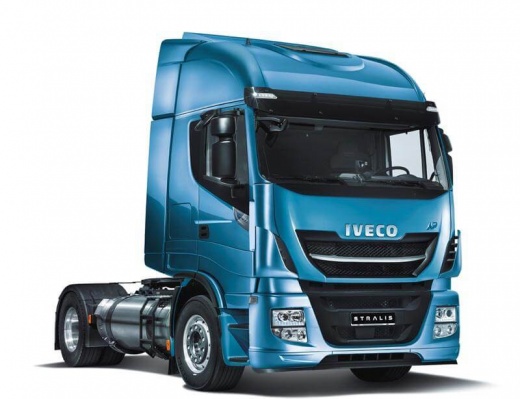
The infotainment system of the Iveco Stralis
Model: IVECO Stralis
MK 1
- Years:
2002, 2003, 2004, 2005, 2006, 2007, 2008, 2009, 2010, 2011, 2012, 2013
Video tutorial
In this video we see how the infotainment system of the Iveco Stralis works: the first thing to mention is that the response of the multimedia screen is not immediate. There are of course radio, CD, USB which is positioned near the internal roof lining, in a very uncomfortable position; SD card that we use for the navigator, AUX input and Bluetooth connection. We can move more quickly using the physical buttons located on the sides of the screen. The navigator is a TomTom optimized for the size of the truck. An interesting feature is the "driving style", which gives us a score on our driving style, so how the vehicle is used in accelerations, braking, use of inertia, fatigue detector, etc. The dashboard is similar to that of the previous version with the addition of adaptive cruise control.
Posted on 21 August 2025 by ScegliAuto
Related tutorials
IVECO Stralis
To tilt the cabin of an Iveco Stralis, first lift the cover. Then, enter the cabin, turn the key, and press the button on the right side of the steer…
IVECO Stralis
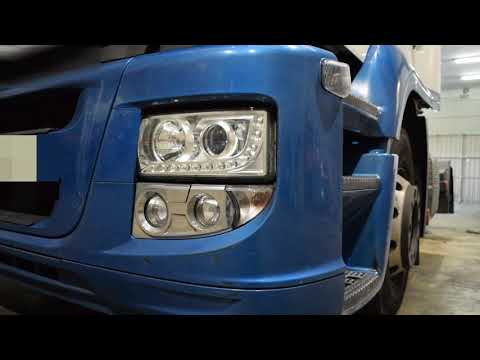
As shown in this tutorial, replacing the headlamp bulbs on the Iveco Stralis is an extremely simple and quick task. First, ensure the vehicle is turn…
IVECO Stralis
Follow the steps to locate the internal fuse box of the Iveco Stralis as outlined below. First, get into the cab and start locating the fuse box, whi…
Other guides you may be interested in
|
How to Set the Time in an Audi A4?
In this tutorial, you will see how to set the time in an Audi A4, a very simple and quick operation to perform after replacing the battery or when the time changes. First, insert the key and turn on the instrument cluster. Then, press the "SETUP" button located on the center console. Next, press the upper left arrow button, navigate to the "Time" option, and use the central knob to adjust the clock. Finally, set any necessary formats and save by returning to the main screen. by ScegliAuto More videos
|
|
For advertising on this site Write to info@scegliauto.com
ScegliAuto is not responsible for any inaccuracy of the data in the lists. To report any inaccuracy or your business (if you own the business in question), please write to info@scegliauto.com
Number of seconds to generate the page: 0.017
(c) ScegliAuto 2026 - info@scegliauto.com - Privacy policy VAT number: IT01247470535 |
