
|
Do it yourself
| |||
| ||||


How to Connect a Smartphone via Bluetooth to an Iveco S-way Vehicle
Model: IVECO S-Way
MK 1
- Years 2019-2026
Here’s how to connect a smartphone via Bluetooth to an Iveco S-way vehicle with dual digital displays: access the 'media' menu, then go to 'source' and scroll through the list until you select 'Bluetooth'. The system will start searching for available devices; scrolling through the list, you will find your smartphone's name. Select it and choose 'connect phone'. A PIN code will appear on the display; ensure that the same number appears on your smartphone and confirm by pressing 'ok' on both devices. That’s it. The connection is established. Now you can stream music by selecting Bluetooth as the source and make and receive hands-free calls.
Posted on 24 February 2026 by ScegliAuto
Video tutorial
Related tutorials
IVECO S-Way
(2019-2026 /
MK 1)
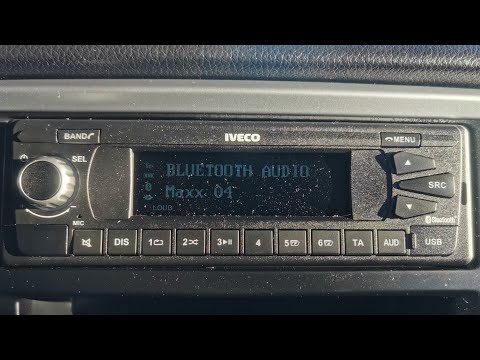
The Bluetooth connectivity of an Iveco car radio to external units, smartphones or anything else, is not much different from other vehicles and the p…
IVECO S-Way
(2019-2026 /
MK 1)
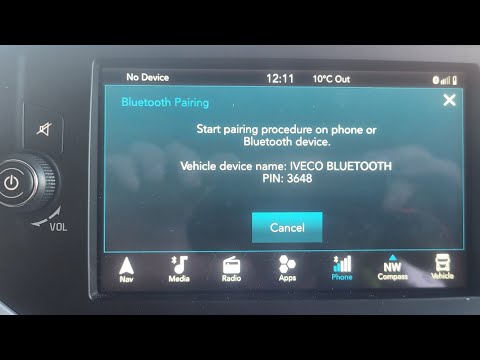
In this video, you will see how to activate the Bluetooth system on an Iveco S Way radio: turn on the device until you select "pairing devices". Sear…
IVECO S-Way
(2019-2026 /
MK 1)
To connect Bluetooth on an IVECO S-Way truck, follow these steps: Ensure your IVECO S-Way truck has Bluetooth functionality. Not all models or trim l…
Other guides you may be interested in
|
How to Check the Oil Level on a Jeep Renegade?
To check the oil level on a Jeep Renegade, you need to open the bonnet to access the components inside the engine bay: on the lower left side of the engine block, you will find the dipstick for checking the level. This should be pulled out and thoroughly cleaned with a cloth: once cleaned, reinsert it back into its tube and pull it out immediately after. This way, you can check that the oil mark is between the minimum and maximum levels; finally, you can place the dipstick back in its tube. by ScegliAuto More videos
|
|
For advertising on this site Write to info@scegliauto.com
ScegliAuto is not responsible for any inaccuracy of the data in the lists. To report any inaccuracy or your business (if you own the business in question), please write to info@scegliauto.com
Number of seconds to generate the page: 0.052
(c) ScegliAuto 2026 - info@scegliauto.com - Privacy policy VAT number: IT01247470535 |
