
|
Do it yourself
| |||
| ||||


What to Do If You No Longer Hear Audio from the MMI on Your Iveco Daily
Model: IVECO Daily
MK 5
- Years 2014-2026
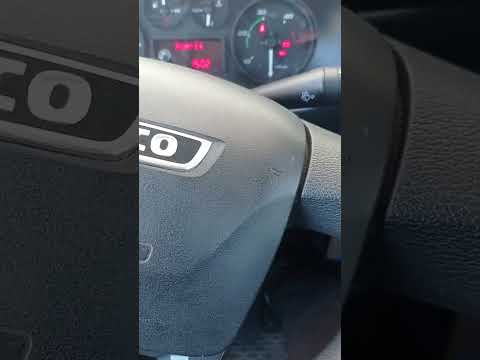
Let's see what to do if you no longer hear audio from the MMI on the Iveco Daily: this is a forced reboot procedure of the multimedia system, similar to rebooting a frozen computer or smartphone. Press and hold the power button on the MMI unit for 10 seconds until it turns off. Wait 5 seconds with the system off, then press and hold the power button for another 5 seconds and wait for the system to fully reboot; this may take up to 40 seconds. After the reboot, the audio should work correctly. If not, check that you are on the correct audio source (radio, Bluetooth, USB), which is the main cause of the lack of sound.
Posted on 6 May 2026 by ScegliAuto
Video tutorial
Related tutorials
IVECO Daily
(2014-2026 /
MK 5)
If you need to adjust the time on your 2022 Iveco Daily, it’s easy and quick, and you don’t need any external programming tools, just the vehicle’s s…

IVECO Daily
If you own a 2009 Iveco Daily and want to find the box containing all the various fuses, simply follow the steps described in this guide. First, turn…
IVECO Daily
Resetting the oil warning light on an Iveco Daily is a simple task that can be done independently. This short video tutorial will guide you step by s…
Other guides you may be interested in
|
How to Bleed the Clutch on a Renault Clio?
To bleed the clutch on a Renault Clio, open the bonnet to access the components located in the engine bay: here, you will need to undo the screws that secure the battery in its housing, the intake manifold, and the coolant reservoir. This will allow you to locate the pipe through which the brake fluid flows: by inserting the other end of the pipe into a container, you can press the clutch pedal to expel all the fluid until it fills the container. by ScegliAuto More videos
|

|
For advertising on this site Write to info@scegliauto.com
ScegliAuto is not responsible for any inaccuracy of the data in the lists. To report any inaccuracy or your business (if you own the business in question), please write to info@scegliauto.com
Number of seconds to generate the page: 0.761
(c) ScegliAuto 2026 - info@scegliauto.com - Privacy policy VAT number: IT01247470535 |
