
|
Do it yourself
| |||
| ||||


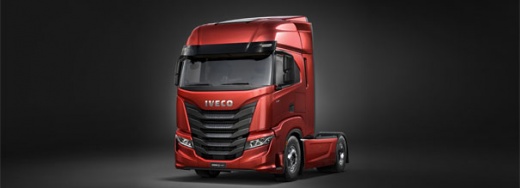
How to Install a Pre-Tuned CB Antenna on an Iveco S-way
Model: IVECO S-Way
MK 1
- Years:
2019, 2020, 2021, 2022, 2023, 2024, 2025, 2026
Video tutorial
In this video, we will see how to install a pre-tuned antenna, which does not require further electrical adjustments after installation; a huge advantage for non-professional installers. The CB antenna can be found on Amazon with the code B093ZX4DFR at a price of £18.99, with free delivery in 1 day for Prime customers. It is fixed to a stainless steel bracket on the tailgate of the truck, an Iveco S-Way. Drill two holes in the tailgate and insert threaded inserts for a solid fix, then mount the steel cage that will support the antenna; the coaxial cable is routed to the cabin antenna. The radio system is a Midland 48, likely modified for better reception, and is placed in a dedicated space in the dashboard.
Posted on 5 June 2026 by ScegliAuto
Related tutorials
IVECO S-Way
(2019-2026 /
MK 1)
In this video, learn how to connect your phone to the Bluetooth radio of the Iveco S-Way: First, ensure Bluetooth is activated on your phone, then tu…

IVECO S-Way
(2019-2026 /
MK 1)
In order to set the tachograph clock on the Iveco S-Way, you need to turn on the instrument panel, so that you can use the tachograph on the vehicle:…

IVECO S-Way
(2019-2026 /
MK 1)
Like cars, heavy goods vehicles can also be customised with a range of aftermarket accessories to give them a sportier appearance and reflect the own…
Other guides you may be interested in
|
How to Set the Time in an Audi A4?
In this tutorial, you will see how to set the time in an Audi A4, a very simple and quick operation to perform after replacing the battery or when the time changes. First, insert the key and turn on the instrument cluster. Then, press the "SETUP" button located on the center console. Next, press the upper left arrow button, navigate to the "Time" option, and use the central knob to adjust the clock. Finally, set any necessary formats and save by returning to the main screen. by ScegliAuto More videos
|
|
For advertising on this site Write to info@scegliauto.com
ScegliAuto is not responsible for any inaccuracy of the data in the lists. To report any inaccuracy or your business (if you own the business in question), please write to info@scegliauto.com
Number of seconds to generate the page: 0.017
(c) ScegliAuto 2026 - info@scegliauto.com - Privacy policy VAT number: IT01247470535 |
