
|
Do it yourself
| |||
| ||||


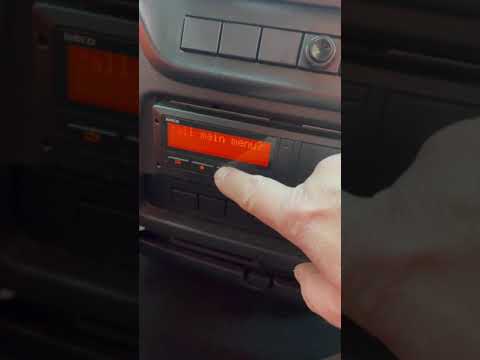
How to change the tachograph time on the Iveco
Model: IVECO Iveco Various
After turning on the ignition of the vehicle, press the Ok key to access the tachograph menu, scroll by pressing the down arrow to the vehicle entry item, press Ok to confirm, scroll to the local time item at this point the display will show unchangeable UTC time on the left and flashing local time that we are going to change. To correctly change the time, press the downward arrow twice as each pressure corresponds to 30 minutes, press the Ok key to confirm and the wording recorded data will appear, exit the menu with the back arrow.
Posted on 8 January 2023 by ScegliAuto
Video tutorial
Related tutorials
IVECO Iveco Various
In this video, we will see how to change the local time on the VDO 4.0 tachograph. This device is installed on commercial vehicles to record driving …

IVECO Iveco Various
Very important, when we talk about heavy vehicles like Iveco in this case, is setting the time on the tachograph, given the role it plays during the …
IVECO Iveco Various
If your Iveco Beavertail displays a time that is different from the correct one and you want to know how to change it manually, all you have to do is…
Other guides you may be interested in
|
How to Open the Door of a Golf 7 with a Flat Key Battery
Is the remote key battery of the Golf flat and you don’t know how to open the car? Here’s what to do. Take your remote and press the button to release the metal key. Once extracted, use the key to pry into the space of the handle until the piece detaches. Insert the key into the lock and open the car door. To close the lock: take the cap and press down on the handle until you hear the locking click. Open the remote key and replace the battery. by ScegliAuto More videos
|
|
For advertising on this site Write to info@scegliauto.com
ScegliAuto is not responsible for any inaccuracy of the data in the lists. To report any inaccuracy or your business (if you own the business in question), please write to info@scegliauto.com
Number of seconds to generate the page: 0.127
(c) ScegliAuto 2026 - info@scegliauto.com - Privacy policy VAT number: IT01247470535 |
