
|
Do it yourself
| |||
| ||||


How do you set the time on an Iveco vehicle?
Model: IVECO Iveco Various
Video tutorial
Very important, when we talk about heavy vehicles like Iveco in this case, is setting the time on the tachograph, given the role it plays during the use of the vehicle. The installed models are different, but the operating logic is almost identical among them, so here's what to do: By holding down the down arrow button, we enter the Settings, scroll through the options, select the clock and adjust the hours and minutes using the directional keys. To finish everything, hold down the Ok button for a few seconds and save our setting.
Posted on 9 October 2025 by ScegliAuto
Related tutorials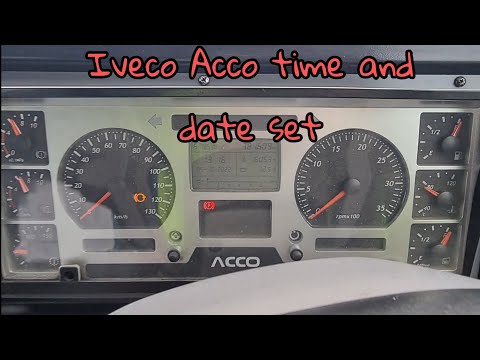
IVECO Iveco Various
To manually change the time displayed on your Iveco Acco's dashboard, follow this simple procedure. First, enter the vehicle and turn on the ignition…

IVECO Iveco Various
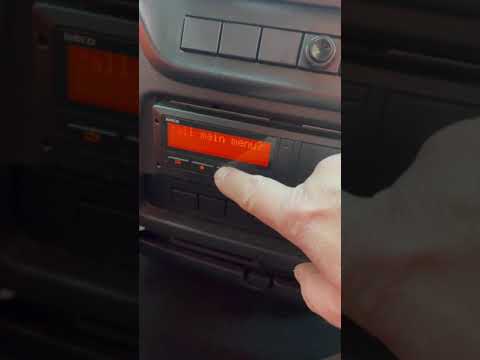
In this video, we will see how to change the local time on the VDO 4.0 tachograph. This device is installed on commercial vehicles to record driving …
IVECO Iveco Various
If your Iveco Beavertail displays a time different from the correct one and you want to know how to change it manually, just read the following guide…
Other guides you may be interested in
|
Location of the Jack and Spare Wheel of the Toyota Yaris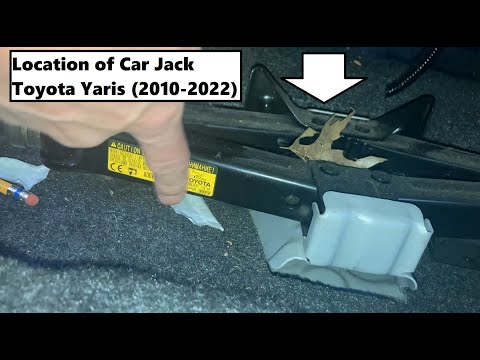
In the unfortunate event that one of the wheels of the Toyota Yaris is punctured, it is useful to know the location of the lifting jack, the spare wheel, the tool to operate the jack, and to unscrew the wheel bolts. The jack is located under the driver's seat, secured to a bracket and protected by a plastic cover, which you can remove by acting on the fixing clips. The spare wheel is located under the floor panel of the boot, secured to the floor by a threaded plastic flange, alongside which you will find the tool, consisting of a bent bar, which is used to operate the jack on one side and to remove the wheel on the other. by ScegliAuto More videos
|
|
For advertising on this site Write to info@scegliauto.com
ScegliAuto is not responsible for any inaccuracy of the data in the lists. To report any inaccuracy or your business (if you own the business in question), please write to info@scegliauto.com
Number of seconds to generate the page: 0.220
(c) ScegliAuto 2026 - info@scegliauto.com - Privacy policy VAT number: IT01247470535 |
