
|
Do it yourself
| |||
| ||||


|
Model: Kawasaki Versys
Today, you will learn how to perform routine maintenance by changing the engine oil and oil filter on a Kawasaki Versys 1000. First, position your motorcycle on the centre stand and start by removing the lower plastic cover by unscrewing the fastening screws; then unscrew the oil drain bolt using a ratchet spanner. At this point, allow the oil to drain into a container for about ten minutes; then use the appropriate tool to unscrew the oil filter, replacing it with the new one (screwing it in by hand). All that’s left is to pour the new engine oil into the crankcase!
Updated on 14 April 2026 by ScegliAuto
Video tutorial
Related tutorials
Versys
To replace the oil and the oil filter on the Kawasaki Versys, you need to remove the cover located on the right side of the bike to access the oil dr…

Versys
To change the engine oil on the Kawasaki Versys, loosen the oil drain plug located at the bottom of the bike. Once opened, collect the used oil in an…

Versys
In this video, we will see how to change the engine oil and oil filter, performing the regular maintenance service on a Kawasaki Versys 650 motorcycl…
|
How to Replace the Clutch on a Triumph Speed Triple?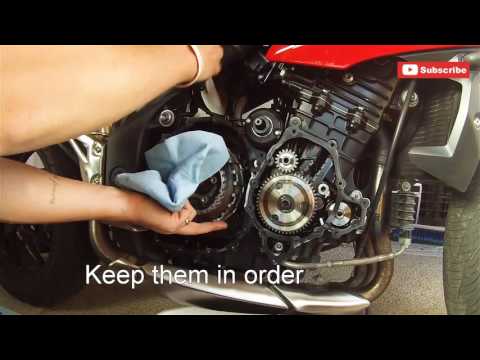
To replace the clutch on a Triumph Speed Triple, loosen the bolts securing the covers of the three casings located on the right side of the bike, namely the starter motor, the engine, and then the clutch. Once these covers are removed, you can access the bolts securing the clutch, unscrew them, and slide the clutch plates out of their housing. This will allow you to insert the new plates into their place, securing everything with the appropriate bolts; finally, reinstall all the casings. by ScegliAuto More videos
|
|
For advertising on this site Write to info@scegliauto.com
ScegliAuto is not responsible for any inaccuracy of the data in the lists. To report any inaccuracy or your business (if you own the business in question), please write to info@scegliauto.com
Number of seconds to generate the page: 0.006
(c) ScegliAuto 2026 - info@scegliauto.com - Privacy policy VAT number: IT01247470535 |
