
|
Do it yourself
| |||
| ||||


Model: Kawasaki Z125
To replace the battery of the Kawasaki Z125, loosen the screws that secure the seat to its housing: once the screws are loosened, you can remove the seat to access the components underneath. Here you will find the battery, which can be removed from its housing by unscrewing the fixing screws and disconnecting the power cables. After the device is freed, it can be pulled out from its place and replaced with a new one, securing the seat with the corresponding screws that were removed earlier.
Updated on 24 May 2026 by ScegliAuto
Video tutorial
Related tutorials
Z125
To replace the battery of the Kawasaki Z125 Pro, you will need to loosen the screws that secure the seat to its housing: these screws will be located…

Z125
To change the engine oil of the Kawasaki Z125, loosen the drain plug located at the central lower part of the vehicle, allowing all the used oil to f…
Z125
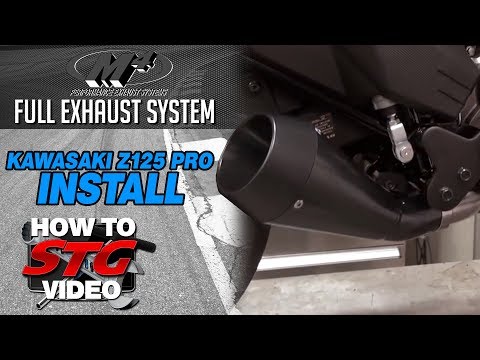
To replace the exhaust on a Kawasaki Z125, loosen the screws that secure it to its housing located on the right side of the bike, near the rear wheel…
|
How do you reset the Oil Check light on the Sym VF 185?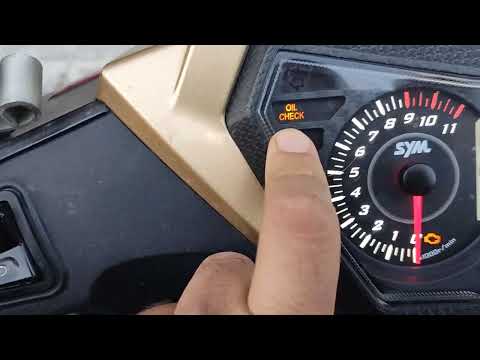
In order to reset the Oil Check light on the Sym VF 185, you need to turn on the instrument panel by turning the key in the ignition switch. Once the panel is on, you can press and hold the button located at the bottom right of the instrument panel for a few seconds. You will need to continue holding the button for a few seconds and then release it before pressing the next button. This will make the Oil Check light disappear from the instrument panel, and you can turn it off again by turning the key in the opposite direction. by ScegliAuto More videos
|
For advertising on this site Write to info@scegliauto.com
ScegliAuto is not responsible for any inaccuracy of the data in the lists. To report any inaccuracy or your business (if you own the business in question), please write to info@scegliauto.com
Number of seconds to generate the page: 0.005
(c) ScegliAuto 2026 - info@scegliauto.com - Privacy policy VAT number: IT01247470535 |
