
|
Do it yourself
| |||
| ||||


Model: Kawasaki Zx 9r
Here are the instructions to remove and replace the clutch discs on the Kawasaki ZX 9R motorcycle. First, place the motorcycle on a stand and start draining the engine oil. Then, unscrew all the screws securing the clutch cover, removing it to access the clutch pack, as shown in the video. Next, unscrew the screws of the clutch pack and remove all the discs. Install the new discs, alternating cork and metal ones, following the video tutorial until the end for reassembly!
Updated on 11 July 2026 by ScegliAuto
Video tutorial
Related tutorials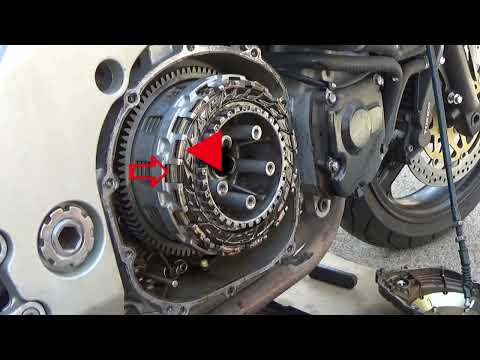
Zx 9r
In order to replace the clutch of the Kawasaki ZX9R, you need to loosen the screws that secure the casing located on the right side of the motorcycle…
|
How do you replace the headlight bulb of the Sym Citycom 300?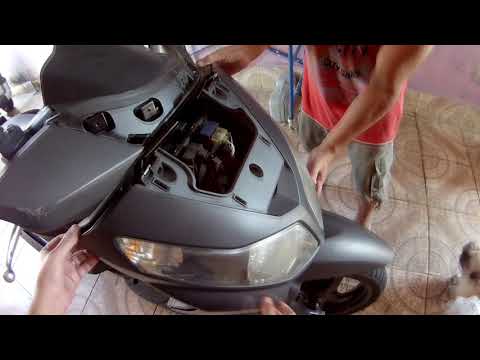
In order to replace the headlight bulb of the Sym Citycom 300, you need to loosen the screws that secure the panels located at the front of the motorcycle fairing: once the fastening screws of these panels have been loosened, you can unscrew those on the inside of the front fairing, so that the latter can be removed from its seat. Now it will be possible to proceed by unscrewing the screws that secure the corresponding headlight, disconnecting its connector and removing the bulb inside; in this way you can reinstall the removed panels. by ScegliAuto More videos
|
|
For advertising on this site Write to info@scegliauto.com
ScegliAuto is not responsible for any inaccuracy of the data in the lists. To report any inaccuracy or your business (if you own the business in question), please write to info@scegliauto.com
Number of seconds to generate the page: 0.006
(c) ScegliAuto 2026 - info@scegliauto.com - Privacy policy VAT number: IT01247470535 |
