
|
Do it yourself
| |||
| ||||


How to Set the Time on the Kawasaki Vulcan S?
Model: Kawasaki Vulcan S
Video tutorial
In this tutorial, you will learn how to set the time on the Kawasaki Vulcan S, a very simple and quick operation to perform, for example, after replacing the battery or following a time change. First, insert the key and turn on the instrument panel. Then, repeatedly press the button located to the left of the display until you reach the "ODO" option. Next, hold down the right button, release it as soon as the time starts to flash, and press it quickly a second time. At this point, using the same buttons, you can adjust and save the time.
Updated on 21 July 2026 by ScegliAuto
Related tutorials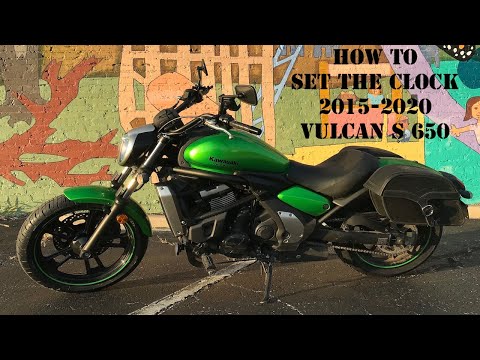
Vulcan S
In this tutorial, you will see how to set the time on a Kawasaki Vulcan S, a very simple and quick operation to perform, for example, after replacing…

Vulcan S
.. In this tutorial, you will learn how to set the time on the Kawasaki Vulcan S, a very simple and quick task, for example, after disconnecting.. …

Vulcan S
In this tutorial, we can see how to adjust the time on the Kawasaki Vulcan S, an extremely simple and quick operation, to be carried out, for example…
|
How to Replace the Air Filter in a Moto Guzzi Nevada 750?
In this tutorial, you will see how to replace the air filter in a Moto Guzzi Nevada 750, a very simple and quick operation. First, wait for the engine to be completely cold, then remove the seat, disassemble the chrome air intake, and subsequently the panel located under the tank. Repeat the operation on the opposite side, disconnect both the fuel hoses and the pump connector, and remove the tank itself. At this point, you can move all the cables above the airbox, open it, and remove the old filter. To install the replacement and reassemble everything, simply follow the reverse procedure. by ScegliAuto More videos
|
For advertising on this site Write to info@scegliauto.com
ScegliAuto is not responsible for any inaccuracy of the data in the lists. To report any inaccuracy or your business (if you own the business in question), please write to info@scegliauto.com
Number of seconds to generate the page: 0.007
(c) ScegliAuto 2026 - info@scegliauto.com - Privacy policy VAT number: IT01247470535 |
