
|
Do it yourself
| |||
| ||||


How to set the priority of the audible alerts on the Kia Sportage
Model: Kia Sportage
MK 5, NQ5
- Years 2021-2026
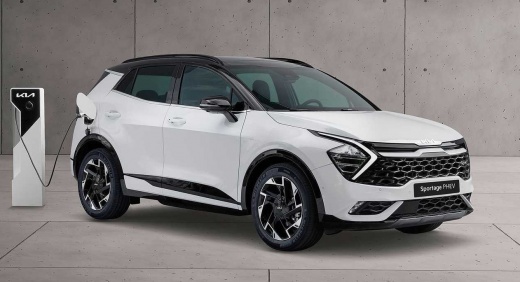
Have we ever wondered if we are listening to our favorite music, whether our Kia Sportage wants to alert us to any issues, if we are able to hear its warning? The engineers who designed this car have thought about this, so there is a setting where you can prioritize the sound of safety warnings over the volume of your radio. Of course, we must be aware of this priority, so we need to activate it in the settings through the multimedia screen. From there, we go to "sounds" where we select "driving assistance alerts" and set the volume of the warning and activate or deactivate the priority of driving safety over all other audio signals.
Posted on 5 April 2025 by ScegliAuto
Video tutorial
Related tutorials
Kia Sportage
(2010-2016 /
SL, MK 3)
To set the time on your Kia Sportage, follow these steps. First, make sure the instrument panel is on. Next, look for the "Setup clock" button on the…

Kia Sportage
(2016-2022 /
QL, MK 4)
In this tutorial, you will learn how to reset the oil service on the KIA Sportage, an operation to be performed only after completing all scheduled m…

Kia Sportage
(2010-2016 /
SL, MK 3)
In order to find the appropriate OBD port inside your Kia Sportage, you simply need to follow these steps. It is a procedure that anyone can do and d…
Other guides you may be interested in
|
How to Adjust the Brightness of the Instrument Cluster on a Peugeot 3008?
To adjust the brightness of the instrument cluster on a Peugeot 3008, you need to turn on the ignition and access the settings via the menu located in the central area of the dashboard. In the screen that appears, select the "Display Configuration" option: now, by selecting the "Brightness" option, you can adjust it using the dedicated slider that will appear on the screen. The adjustment should be made with the headlights on as well as with them off. Once the adjustment is complete, you can turn off the instrument cluster. by ScegliAuto More videos
|
|
For advertising on this site Write to info@scegliauto.com
ScegliAuto is not responsible for any inaccuracy of the data in the lists. To report any inaccuracy or your business (if you own the business in question), please write to info@scegliauto.com
Number of seconds to generate the page: 0.230
(c) ScegliAuto 2026 - info@scegliauto.com - Privacy policy VAT number: IT01247470535 |
