
|
Do it yourself
| |||
| ||||


Video tutorial
To replace the battery in the Kia remote, work on a stable surface and have a thin flat tool (preferably plastic to avoid scratching the casing) at hand. Locate the opening slot near the emergency key part, then carefully lever until the two halves of the remote begin to separate. Once the casing is open, access the button battery compartment and remove the battery, taking care not to force the metal contacts. Insert the new battery, ensuring it is oriented the same way as the previous one, then close the remote by aligning the two casings correctly and pressing until you hear the clicks of closure around the perimeter. Once closed, check that the edges are flush and that the buttons do not get stuck; finally, test the open/close functions to confirm that the battery has been recognised correctly.
Posted on 25 July 2026 by ScegliAuto
Related tutorials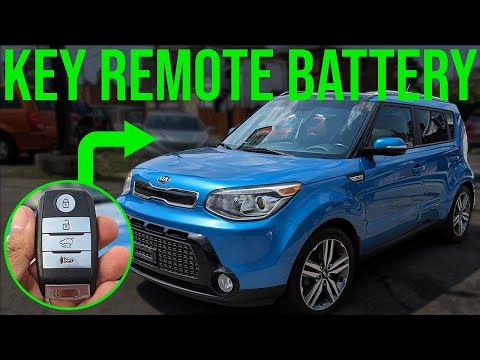
Kia Soul
(2013-2018 /
MK 2)
In this new mini guide dedicated to all of you who own a second-generation Kia Soul (2013-2018), we will discover how to quickly and correctly replac…

Kia Soul
(2013-2018 /
MK 2)
If you need to replace the battery in the remote key for this car model, the following description contains all the information and steps necessary f…

Kia Soul
(2013-2018 /
MK 2)
Start by pressing the button that opens the physical key. This will create a slot. Next, unclip the back cover of the key, optionally using a medium-…
Other guides you may be interested in
|
How to Activate the Disabled TRC on the Toyota Yaris?
As the video clearly shows, disabling or activating the traction control (TRC or ESP) on the Toyota Yaris is very simple. By default, the traction system activates every time the vehicle is started. To disable it, simply press the button depicting a skidding car located in the centre of the vehicle where the controls are, such as the hazard lights and the radio, but near the handbrake. Once disabled, the TRC off light will illuminate on the dashboard. To reactivate it, just press the same button again. by ScegliAuto More videos
|
|
For advertising on this site Write to info@scegliauto.com
ScegliAuto is not responsible for any inaccuracy of the data in the lists. To report any inaccuracy or your business (if you own the business in question), please write to info@scegliauto.com
Number of seconds to generate the page: 0.100
(c) ScegliAuto 2026 - info@scegliauto.com - Privacy policy VAT number: IT01247470535 |
