
|
Do it yourself
| |||
| ||||


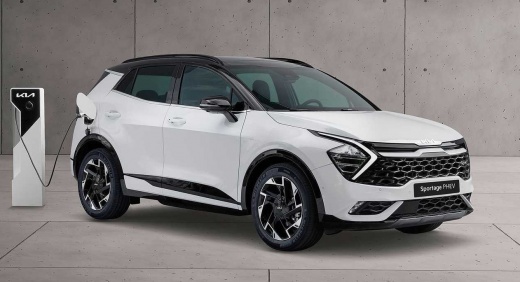
How to Reset the Service Light in a Kia Sportage
Model: Kia Sportage
MK 5, NQ5
- Years:
2021, 2022, 2023, 2024, 2025, 2026
Video tutorial
To reset the maintenance warning on a Kia Sportage, turn on the instrument cluster and use the central display. Access the Setup or Settings menu, then enter the Vehicle section. From here, select Cluster and find the entry dedicated to the maintenance interval. Then select Reset and confirm your choice when the message appears on the screen. The system will update the counter, setting a new maintenance interval. Depending on the version of the multimedia system, some names of the entries may vary slightly. After the operation, return to the main screen and check that the service warning is no longer present on the instrument cluster.
Posted on 21 August 2026 by ScegliAuto
Related tutorials
Kia Sportage
(2021-2026 /
MK 5, NQ5)
To reset the "Service" light on a Kia Sportage, start by turning on the ignition without starting the engine. Use the buttons on the steering wheel t…

Kia Sportage
(2016-2022 /
QL, MK 4)
To reset the service light on a Kia Sportage, turn on the instrument cluster without starting the engine. Using the buttons on the steering wheel, ac…

Kia Sportage
(2021-2026 /
MK 5, NQ5)
To reset the service light on a Kia Sportage, get in the vehicle and turn on the ignition without starting the engine. Use the buttons on the steerin…
Other guides you may be interested in
|
How to Set the Time in an Audi A4?
In this tutorial, you will see how to set the time in an Audi A4, a very simple and quick operation to perform after replacing the battery or when the time changes. First, insert the key and turn on the instrument cluster. Then, press the "SETUP" button located on the center console. Next, press the upper left arrow button, navigate to the "Time" option, and use the central knob to adjust the clock. Finally, set any necessary formats and save by returning to the main screen. by ScegliAuto More videos
|
|
For advertising on this site Write to info@scegliauto.com
ScegliAuto is not responsible for any inaccuracy of the data in the lists. To report any inaccuracy or your business (if you own the business in question), please write to info@scegliauto.com
Number of seconds to generate the page: 0.018
(c) ScegliAuto 2026 - info@scegliauto.com - Privacy policy VAT number: IT01247470535 |
