
|
Do it yourself
| |||
| ||||


How to Reset the Service Light on a KTM 1290 Super Adventure R?
Model: Ktm 1290 Super Adventure R
Video tutorial
In this tutorial, you will see how to reset the service light on a KTM 1290 Super Adventure R, a very simple and quick operation to perform only after completing all scheduled maintenance tasks. First, turn on the instrument panel, then navigate to the general menu on the display using the right directional arrow. Next, position the cursor on the "SETTINGS" option, hold both the up and down arrows, and in the screen that appears, reset both intervals. To save the setting, simply return to the main screen.
Posted on 17 September 2026 by ScegliAuto
Related tutorials
1290 Super Adventure R
Resetting the service on the KTM 1290 Super Adventure R, as we can see in this tutorial, is an extremely simple and quick operation. Before proceedin…

1290 Super Adventure R
This tutorial shows how to reset the service light on the KTM 1290 Super Adventure R, a very simple and quick operation to be performed only after co…

1290 Super Adventure R
In this tutorial, we will see how to reset the service on the KTM 1290 Super Adventure R, a very simple and quick operation that should be done only …
|
How to Change the Headlight Bulb on the Aprilia Scarabeo 50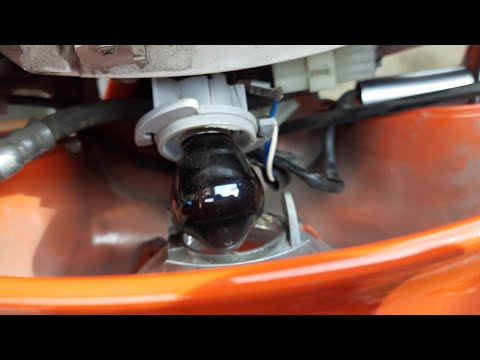
In this short and simple guide, you will learn how to disassemble and replace the headlight bulb on the Aprilia Scarabeo 50 scooter, following the instructions below. First, place the scooter on the centre stand and begin by removing the plastic cover located in front of the instrument panel; to do this, unscrew the securing screws found underneath, as shown in the video. At this point, disconnect the electrical connector of the bulb to remove it, replacing it with a new one (with the same fitting); then reassemble the bulb and the optical unit! by ScegliAuto More videos
|
|
For advertising on this site Write to info@scegliauto.com
ScegliAuto is not responsible for any inaccuracy of the data in the lists. To report any inaccuracy or your business (if you own the business in question), please write to info@scegliauto.com
Number of seconds to generate the page: 0.009
(c) ScegliAuto 2026 - info@scegliauto.com - Privacy policy VAT number: IT01247470535 |
