
|
Do it yourself
| |||
| ||||


|
Model: (Various brands) Various
In this video we can see how to adjust the clock on a Harley Davidson motorcycle: we need to turn on the instrument panel, and then use the button located on the left handlebar. On the display we will see three lights on: ABS, engine check light and oil light, which will turn off in a few seconds. By pressing the button on the left handlebar we see various information scrolling, and then we get to the time; if we need to move it by an hour due to the change from daylight saving time to standard time or vice versa, we hold down our button and we will be given a first option, namely if we want the time set in 12 or 24 hours; press again and go to the time: change it if necessary, then it will move on to the minutes: confirm by pressing again and it's done.
Posted on 28 November 2024 by ScegliAuto
Video tutorial
Related tutorials
(Various brands) Various
In today's video, see how to completely remove the central fuel tank on Harley Davidson motorcycles. This tutorial applies to multiple models from th…

(Various brands) Various
In this video we can see how to change the battery in the remote control of a Harley Davidson. The model doesn't matter, as the functionality is the …

(Various brands) Various
Some users have found it difficult to open the fuel cap with the key provided by Harley Davidson, often because they did not read the attached instru…
|
How do you adjust the headlights of the Kymco Xciting S 400i?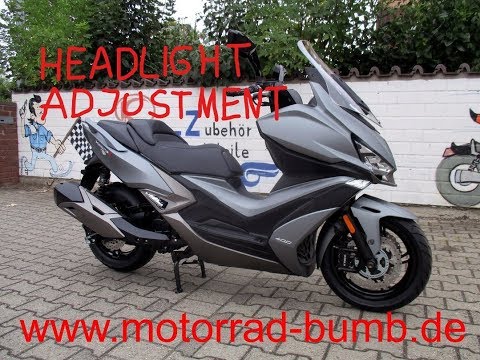
In order to adjust the headlights of the Kymco Xciting S 400i, you need to completely remove the panel that is located under the front headlight and on the top of the front fork. Once this panel has been removed, you will be able to locate the bolts underneath that allow you to adjust the angle of the headlight. By tightening this bolt, you will notice that the beam of light from the headlight will rise; conversely, by loosening the bolt, you will notice that the beam will lower. Once the adjustment is complete, you can reinsert the panel. by ScegliAuto More videos
|
|
For advertising on this site Write to info@scegliauto.com
ScegliAuto is not responsible for any inaccuracy of the data in the lists. To report any inaccuracy or your business (if you own the business in question), please write to info@scegliauto.com
Number of seconds to generate the page: 0.052
(c) ScegliAuto 2026 - info@scegliauto.com - Privacy policy VAT number: IT01247470535 |
