
|
Do it yourself
| |||
| ||||


How to Reset the Service Interval on the KTM Duke 125
Model: Ktm Duke 125
Video tutorial
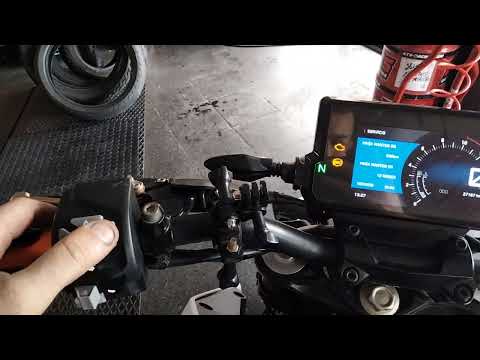
In today's article, you will learn how to reset the service interval on the KTM Duke 125, which is necessary if it is not reset by the workshop where the service is performed. To reset it, first start the bike's ignition without starting the engine, then press the MODE button to display ODO, which shows the bike's mileage. Next, press the SET button to navigate the menu, find the maintenance light, and once located, press and hold the SET button for 10 seconds to reset the light. Then release the button and restart the ignition.
Posted on 14 October 2026 by ScegliAuto
Related tutorials
Duke 125
If the service light continues to appear on the central display of your KTM Duke 125 after you have already performed the service, do not worry as yo…
Duke 125
After performing the periodic service on your KTM Duke 125, you will also need to reset the service indicator. This tutorial video will guide you thr…

Duke 125
In this video we see how to reset the service indicator on the KTM Duke: the procedure is the same for all engine sizes of this model. Turn on the da…
|
How to Replace the Front Brake Disc on a Peugeot Speedfight
To replace the front brake disc on a Peugeot Speedfight, loosen the screws that secure the caliper to the corresponding disc. This will allow you to detach the caliper and proceed to loosen the central nut that secures the wheel spindle. You can then remove the wheel from its housing, allowing you to detach it completely and loosen the screws that secure the disc in place. At this point, you can remove the disc entirely and insert the new replacement part, securing it properly with the screws. by ScegliAuto More videos
|
|
For advertising on this site Write to info@scegliauto.com
ScegliAuto is not responsible for any inaccuracy of the data in the lists. To report any inaccuracy or your business (if you own the business in question), please write to info@scegliauto.com
Number of seconds to generate the page: 0.006
(c) ScegliAuto 2026 - info@scegliauto.com - Privacy policy VAT number: IT01247470535 |
