
|
Do it yourself
| |||
| ||||


How to Set the Clock on the KTM RC 200?
Model: Ktm Rc 200
Video tutorial
To adjust the clock on the KTM RC 200, turn the ignition key to switch on the dashboard. Once the dashboard is on, press and hold the MODE and SET buttons located to the left of the central display simultaneously. The clock will start to flash, allowing you to press the MODE button to change the hours; similarly, press and hold the SET button to change the minutes. After adjusting, you can turn off the dashboard.
Updated on 21 September 2026 by ScegliAuto
Related tutorials
Rc 200
In this tutorial, we can see how to adjust the time on the KTM RC 200, an extremely simple and quick operation to carry out, for example, after disco…

Rc 200
In this tutorial, you will see how to set the time on a KTM RC 200, a very simple and quick operation, to be done for example after disconnecting the…

Rc 200
To replace the clutch on a KTM RC 200, loosen the cover panel located on the right side of the bike, in the lower central area. Once the panel is rem…
|
How to Replace the Remote Battery of the BMW R1200 RT?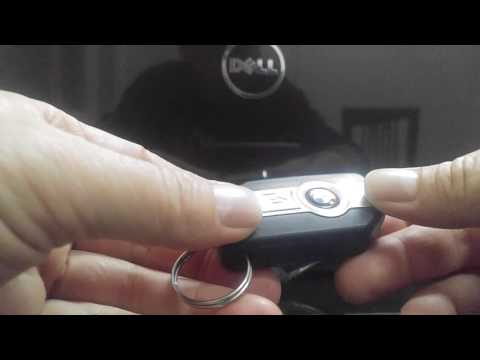
Replacing the remote battery of the BMW R1200 RT, as shown in this tutorial, is an extremely simple and quick operation. For this, you will need a replacement battery of type CR2032 and, if necessary, a small flathead screwdriver. First, press the button on the top side and extend the emergency metal key, then separate the rear cover by levering on the newly freed slot. Once done, you can remove the old battery, insert the replacement battery in the correct orientation, and reassemble everything. by ScegliAuto More videos
|
|
For advertising on this site Write to info@scegliauto.com
ScegliAuto is not responsible for any inaccuracy of the data in the lists. To report any inaccuracy or your business (if you own the business in question), please write to info@scegliauto.com
Number of seconds to generate the page: 0.006
(c) ScegliAuto 2026 - info@scegliauto.com - Privacy policy VAT number: IT01247470535 |
