
|
Do it yourself
| |||
| ||||


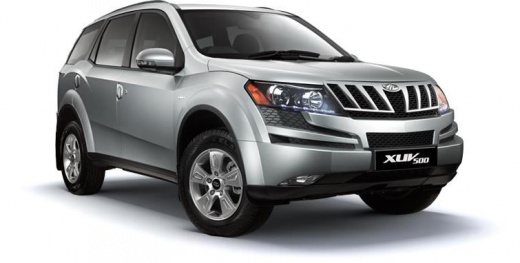
How to Replace the Key Fob Battery of a Mahindra XUV 500
Model: Mahindra Xuv500
MK 1
- Years:
2011, 2012, 2013, 2014, 2015, 2016, 2017, 2018
Video tutorial
If the key fob for your Mahindra XUV 500 is not working, the battery is likely dead, and you will need to replace it. The procedure is very simple; take the key fob and first extract the metal key inside. To do this, press the button at the end of the fob and pull out the key. Next, insert the flat tip of a screwdriver into the empty space and pry it open to access the fob. Then, remove the old battery and replace it with a new one. The required battery type is a flat CR 2032, 3V.
Updated on 15 June 2026 by ScegliAuto
Related tutorials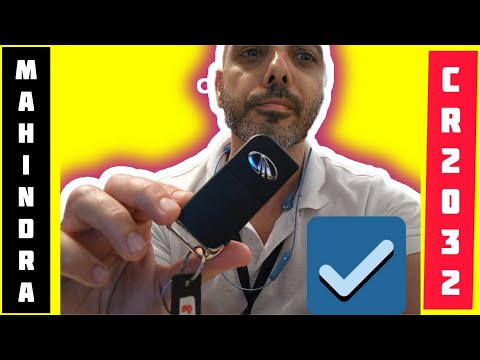
Mahindra Xuv500
(2011-2018 /
MK 1)
In this video tutorial, you will see how to replace the remote battery on the Mahindra XUV 500 by following a few simple steps that will guide you in…

Mahindra Xuv500
(2011-2018 /
MK 1)
Replacing the button battery inside your Mahindra XUV 500 key (2011-2018) is a very simple task. First, get a flathead screwdriver and insert its tip…
Mahindra Xuv500
(2011-2018 /
MK 1)
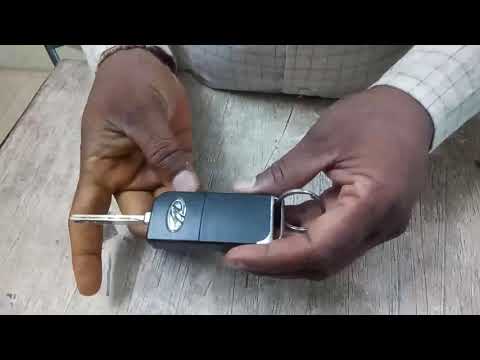
If the battery of your Mahindra Xuv 500 key is completely dead and you need to replace it, this guide is all you need. Just follow these steps to per…
Other guides you may be interested in
|
How to Remove the Toll Tag Holder from the Windscreen Without Damaging the Glass
Removing stickers or tags from your car's glass without damaging the windscreen has always been a problem. Especially if we attach it - as we should - at the top of the windscreen, where the "black dots" are, which is the unshielded part of the windscreen designed for this type of device, whether it be a toll tag, GoPro, cameras, or otherwise. We found this product that seems suitable, specifically designed for this purpose, and it also thoroughly removes dirt, grease, oil, and antifreeze salt from plastic surfaces. You can find it on the ATG website or on Amazon. by ScegliAuto More videos
|
|
For advertising on this site Write to info@scegliauto.com
ScegliAuto is not responsible for any inaccuracy of the data in the lists. To report any inaccuracy or your business (if you own the business in question), please write to info@scegliauto.com
Number of seconds to generate the page: 0.119
(c) ScegliAuto 2026 - info@scegliauto.com - Privacy policy VAT number: IT01247470535 |
